Sageware Studio
The tools we use to build production software.
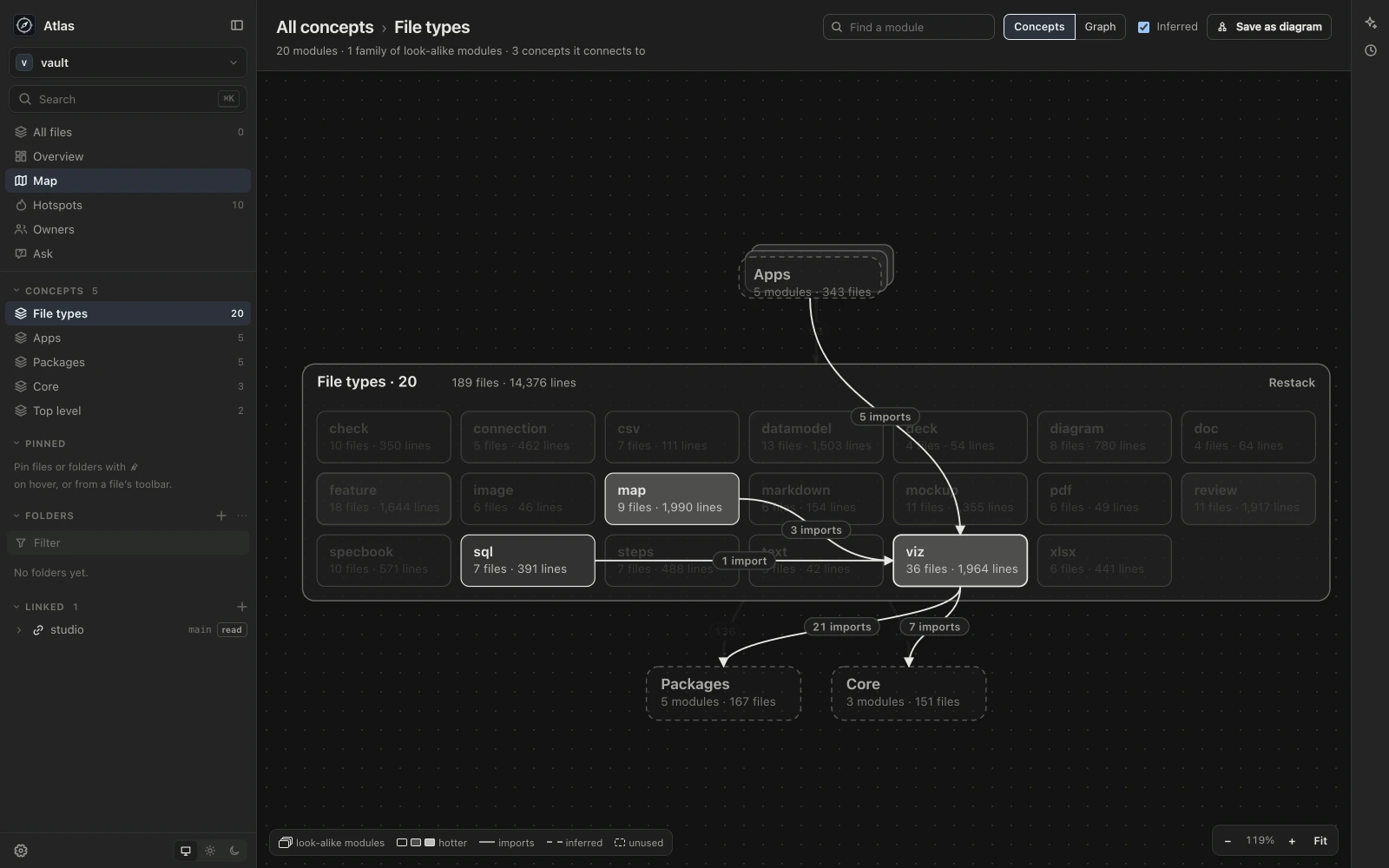
I built Studio because most of what I make at work is now made with an agent: a prototype for a client, a proposal, a query against their database, a test suite, a write-up of a codebase I’ve just been handed. I wanted each of those as files in a folder I own, with a history I can go back through, and the agent working in the same place I am, rather than in a chat I copy out of.
Studio is six apps that share one frame. Each does one kind of work, and they all work the same way.
A vault you own
What you make lives in a vault: a plain folder on your Mac. Every file in it is one thing, in a format you can read: a document is a .doc.tsx, a query a .sql, a test suite a .feature. The apps share their kinds of file, so a diagram saved from Atlas opens in Protogen, and a document written in Protogen lays out the same way in Docgen.
History
The vault is a git repository, and the apps keep its history for you. They save a version after each agent’s turn and after a quiet spell of your own edits. History shows any file as it was, compares two versions, and restores one as a new version, so nothing is rewritten. You can name a version, like “Sent to the client”, and undo everything an agent’s turn did from the chat.
Linked folders
A vault can link the codebases it’s about, without copying or moving them. Linked folders show in the sidebar to browse, the agent can read them, and a file can point at a line of code in one. They’re read-only unless you make one writable, and Studio never commits inside them. If an agent’s turn changes a writable one, the app keeps what it changed so you can see it and undo it.
Claude Code and Codex, inside
The agents are Claude Code and Codex, the command-line tools on your Mac, using the sign-in you already have. Studio doesn’t bundle its own agents or store their sign-in keys. Infragen keeps provider credentials separately in the vault’s unversioned accounts environment file. Each app gives the agent its own tools and guides for its kinds of file. The chat sits beside what you’re looking at and knows which file is open, the agent works in the vault, and it asks before touching anything outside it.
One design
The six apps share a sidebar, quick open, settings, history and the chat, in the same graphite, light or dark. Once you know one, you know the others.
A closer look
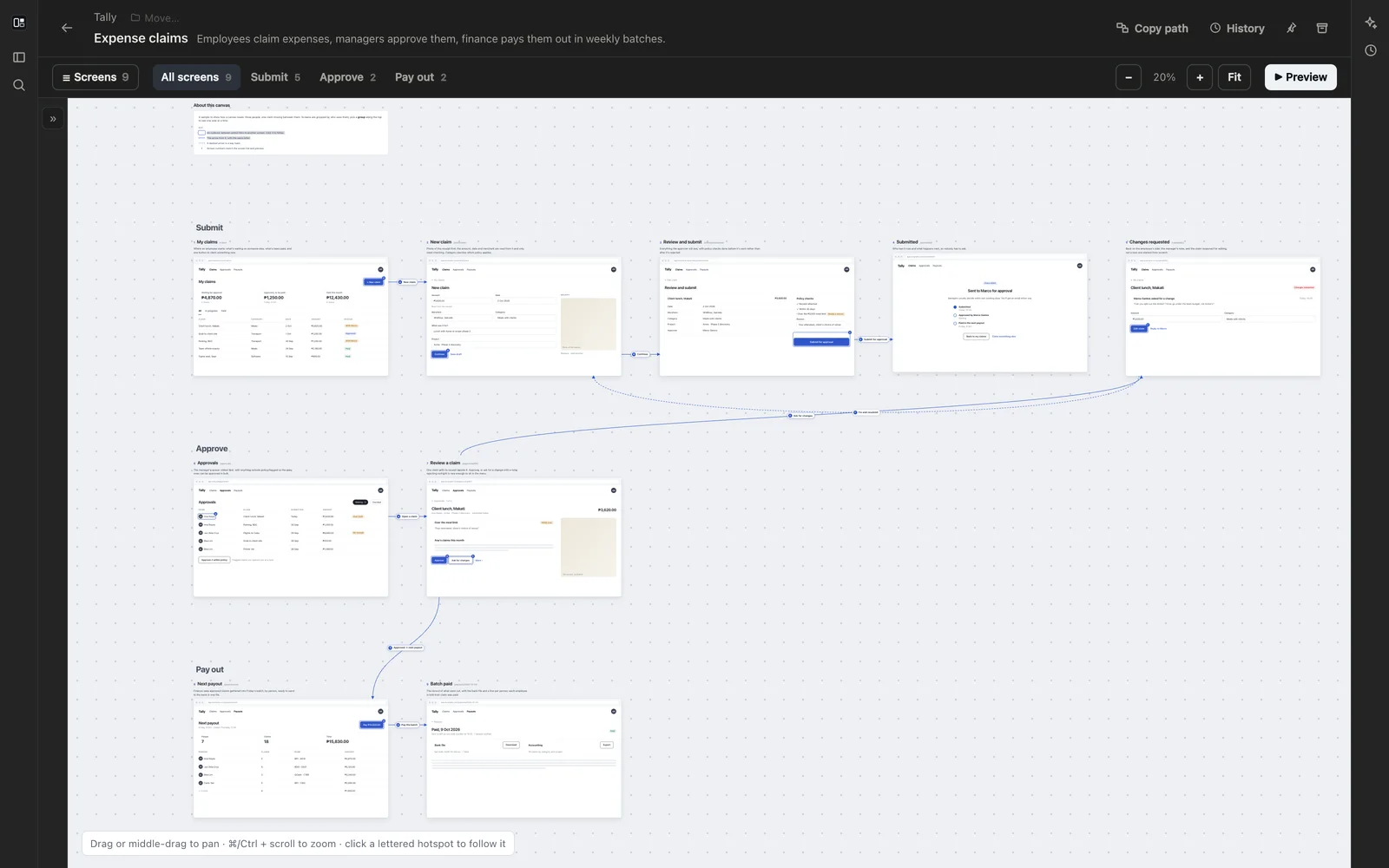 Protogen Prototypes as code, for lead engineers. Version 1.0.1 · 150 MB
 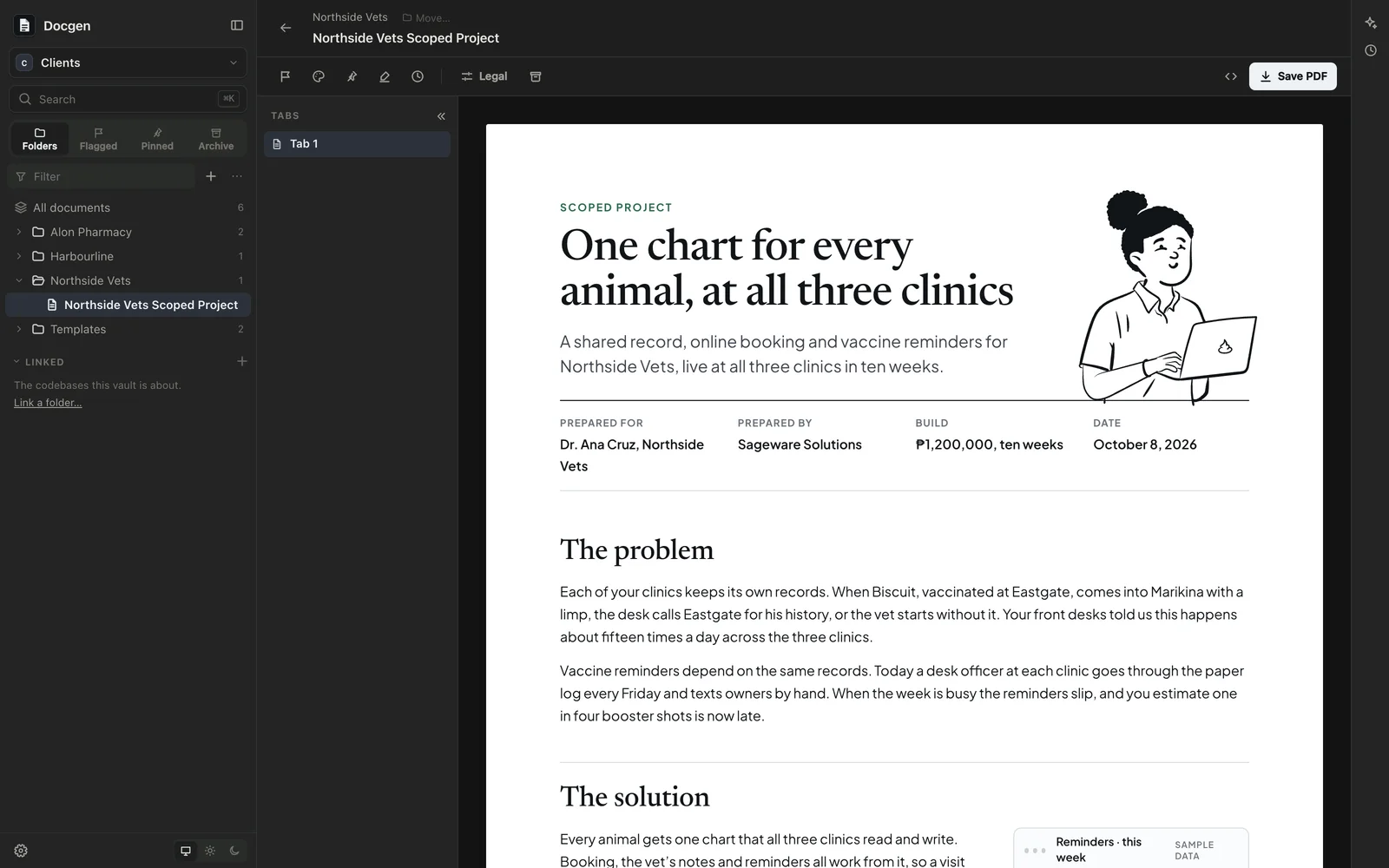 Docgen Print-ready documents and decks, written with agents. Version 1.0.1 · 156 MB
 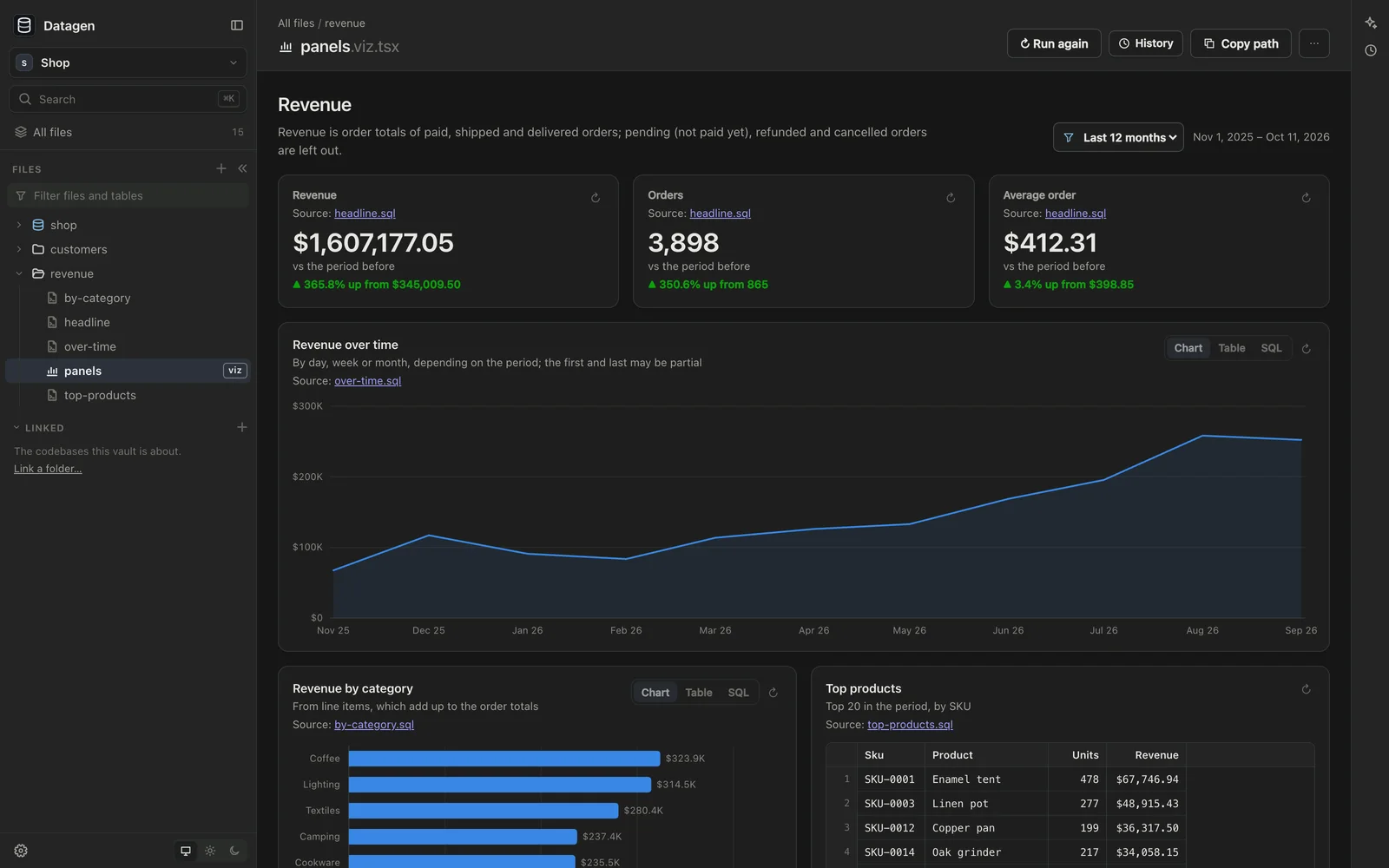 Datagen Databases, queries, charts and checks, as files. Version 1.0.1 · 156 MB
 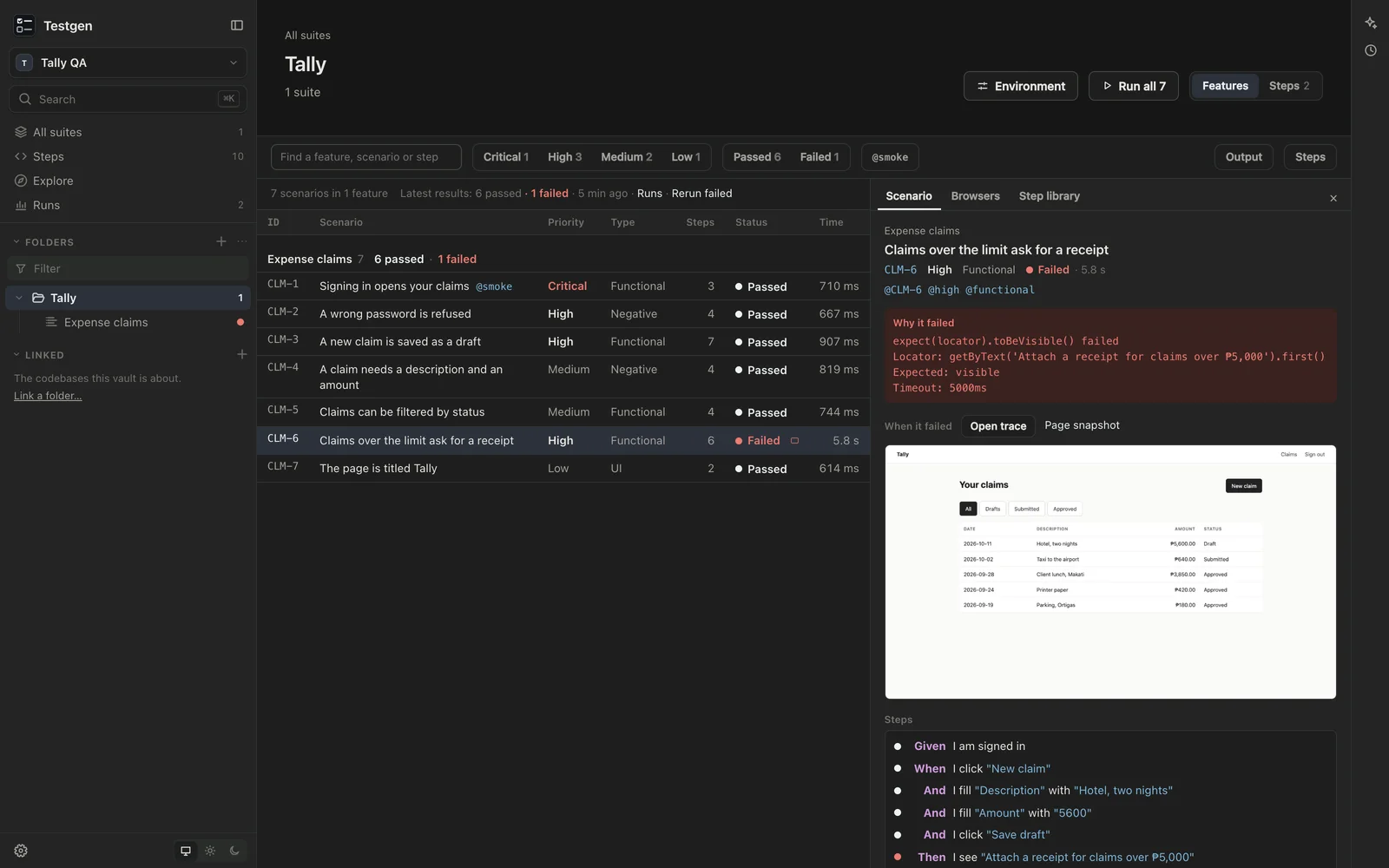 Testgen BDD test suites, written with agents and run in a real browser. Version 1.0.1 · 156 MB
 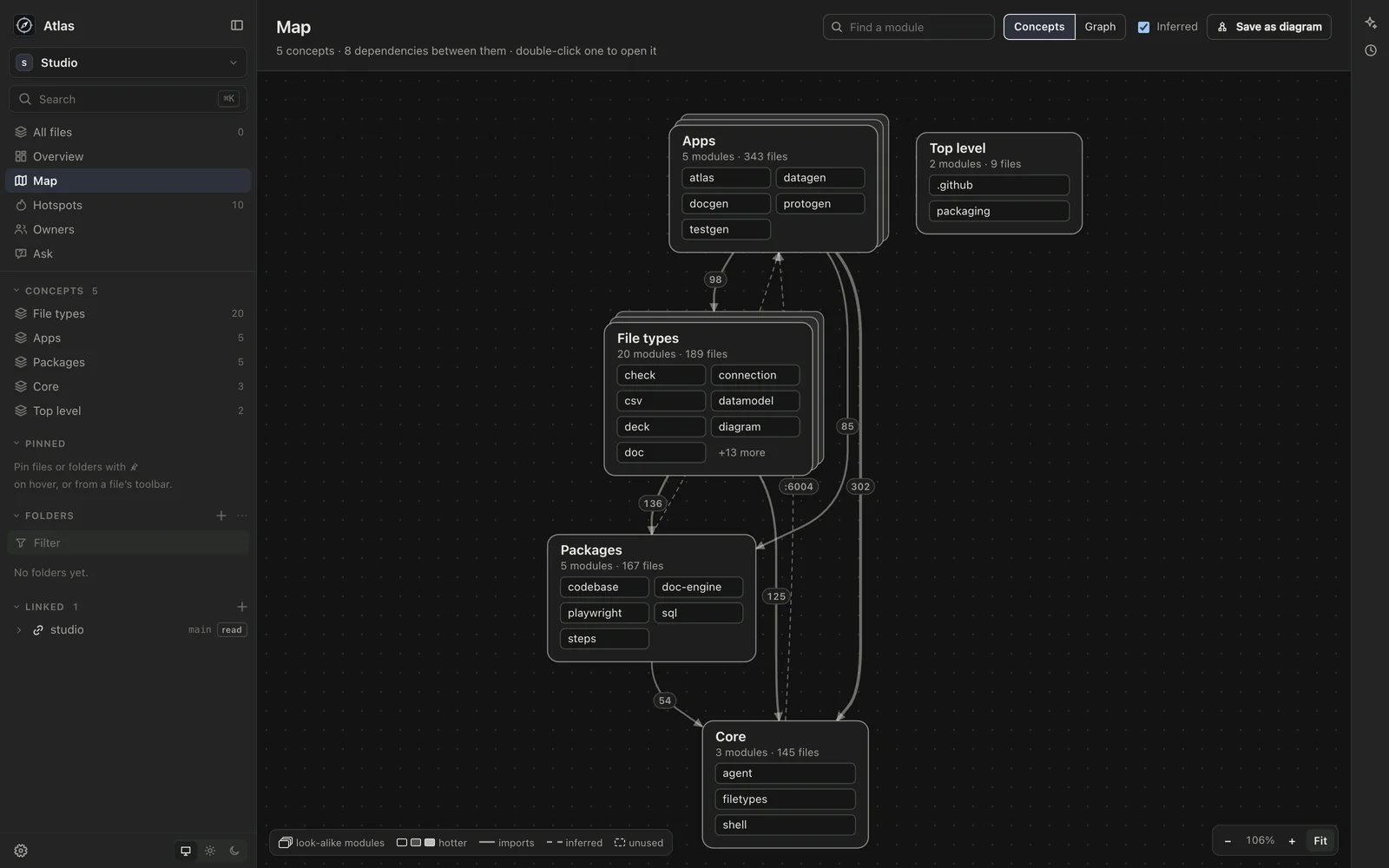 Atlas How your codebases fit together, what's risky, and who knows them, read live. Version 1.0.1 · 151 MB
 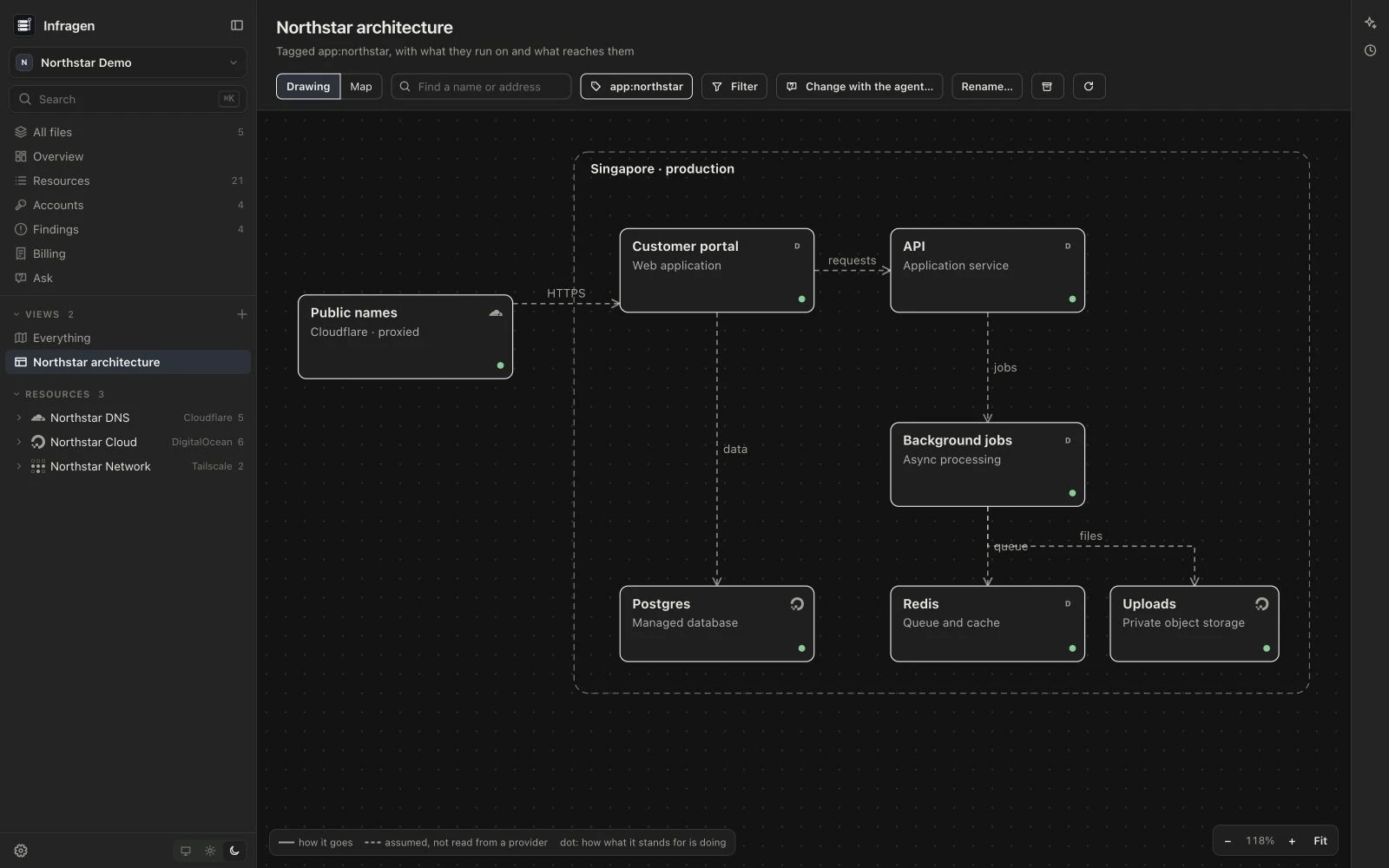 Infragen What runs where, across your infrastructure. Version 1.0.0 · 165 MB
 Requirements
- A Mac with Apple Silicon
- Claude Code or Codex, or both, signed in on your Mac. Studio uses the command-line tools you have installed rather than bundling its own, and offers to install them if they're missing
- Git, for history. Without it, everything else works
Created by
 Jesse PanganibanCEO, Co-Founder