Infragen
What runs where, across your infrastructure.
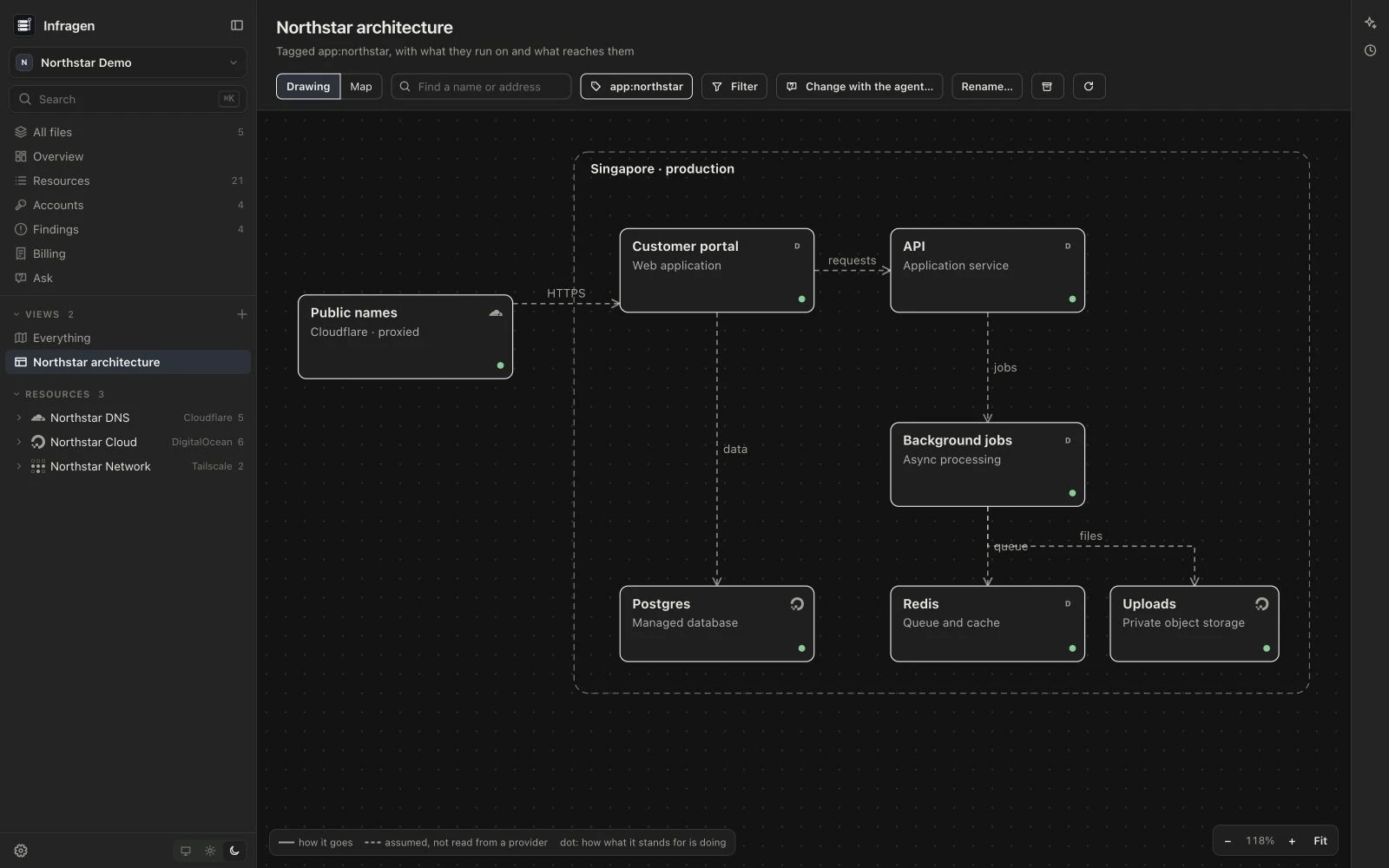
Infrastructure is spread across accounts: a public name in Cloudflare, a machine in DigitalOcean, its node in Tailscale, and the services Dokploy runs on it. Infragen reads those accounts together, so you can see what runs where and how it is reached.
It reads infrastructure without changing it. Your tags, saved views and write-ups stay in a vault on your Mac.
A look inside
These are screenshots of Infragen running with a fictional Northstar infrastructure inventory. No customer accounts or credentials are shown. Select any image to see it full size.
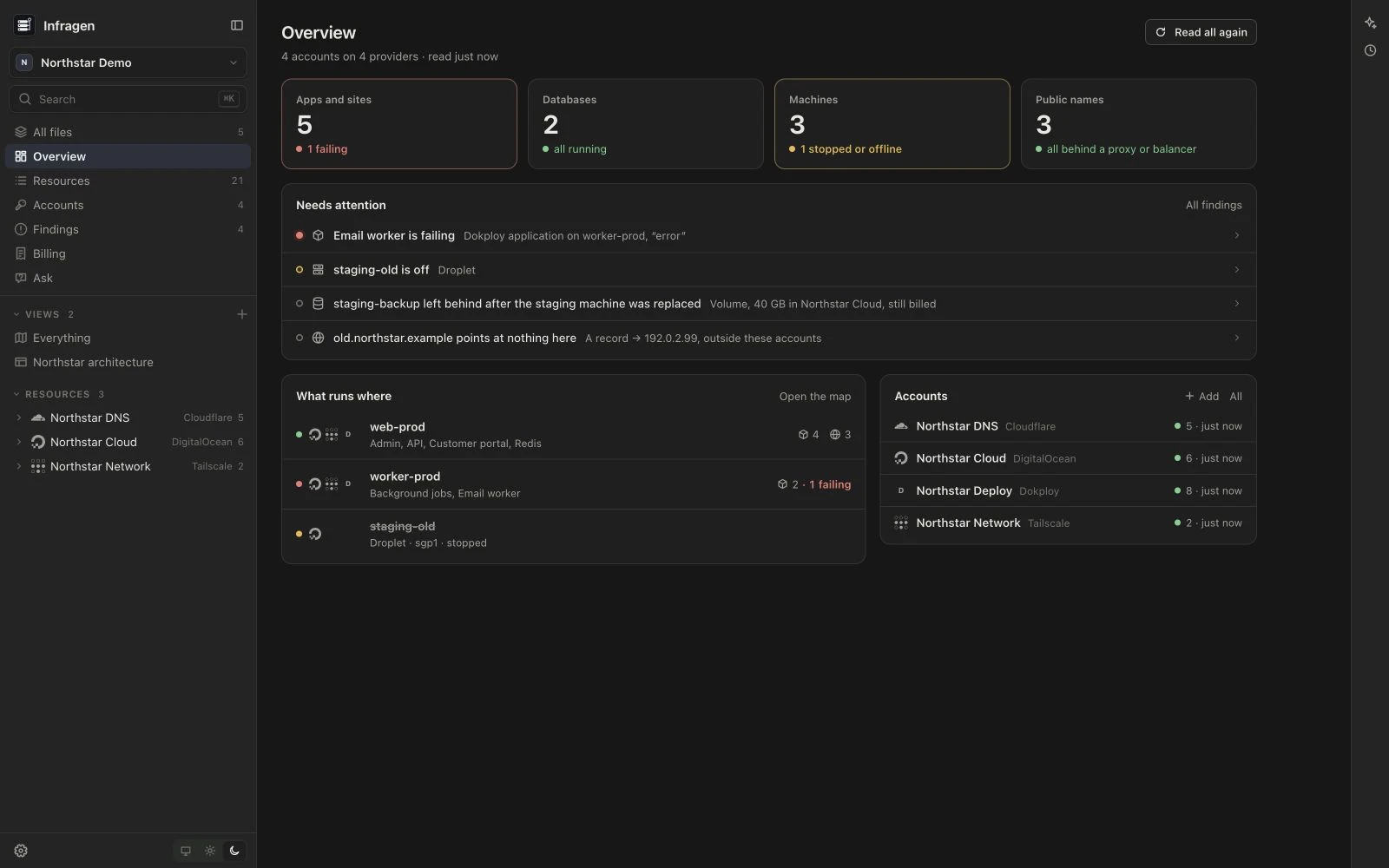
The Overview brings together what is running, what needs attention and the accounts it came from.
Across accounts and providers
Connect DigitalOcean, Cloudflare, Tailscale, Dokploy, AWS, Azure and Google Cloud. Each provider has a guide to the credentials it needs; use read-only access. AWS, Azure and Google Cloud can use the cloud command-line tools already signed in on your Mac, or credentials you give Infragen for that account.
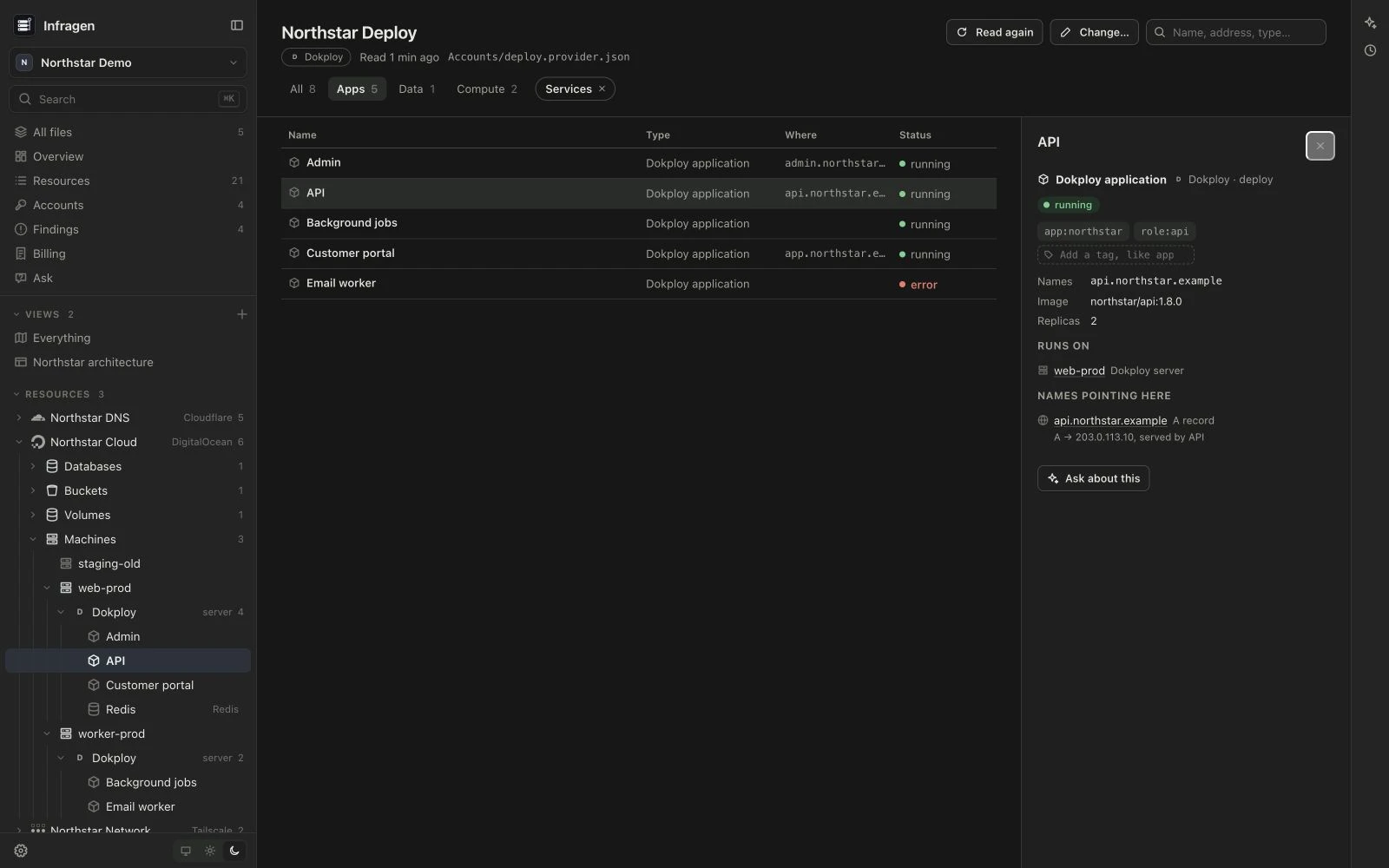
The same machine can appear in several providers. Infragen ties those records together and shows the services running on it. Kubernetes clusters open into namespaces and workloads; Azure subscriptions into resource groups and their resources. Retiring an account keeps its last read on record without reading it again.
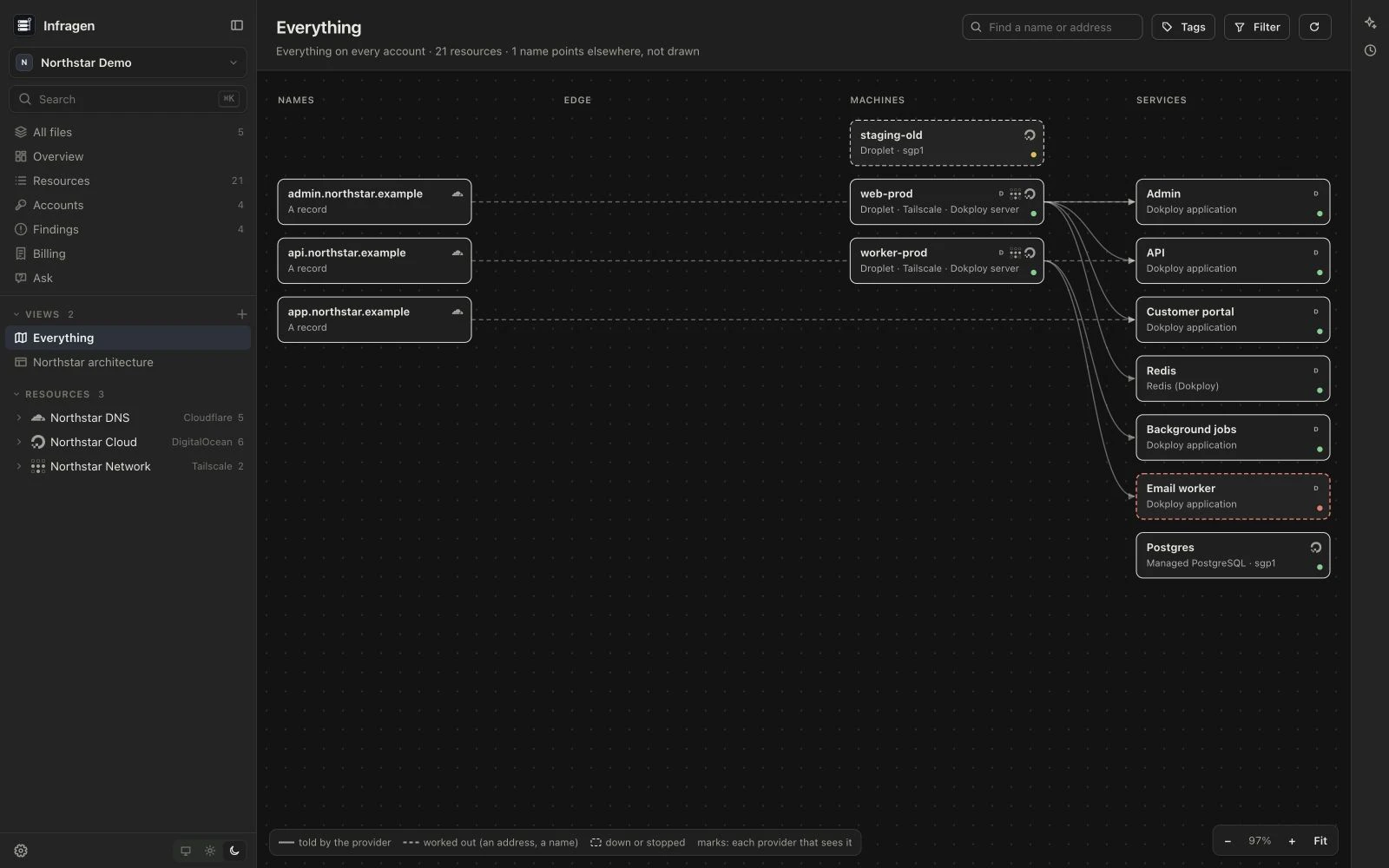
What runs where
The map follows a request from public names through the edge to machines and services. Solid lines are connections a provider reports; dashed lines are connections Infragen works out. Open a resource to see its addresses, settings, tags, connections and a link to its provider’s console.
Tag resources by application, role or environment. Your tags stay in the vault, separate from the provider’s own tags. Save a filtered view for a system you work on, or ask the agent to draw one with areas, services and arrows. Each service box opens the resources it stands for.
What needs attention
The Overview and Findings pages gather accounts that could not be read, stopped or failing resources, exposed databases, expiring keys, dangling resources and names that point at nothing in the inventory. Findings reflect what the connected accounts reveal; an account read only in part is marked as such.
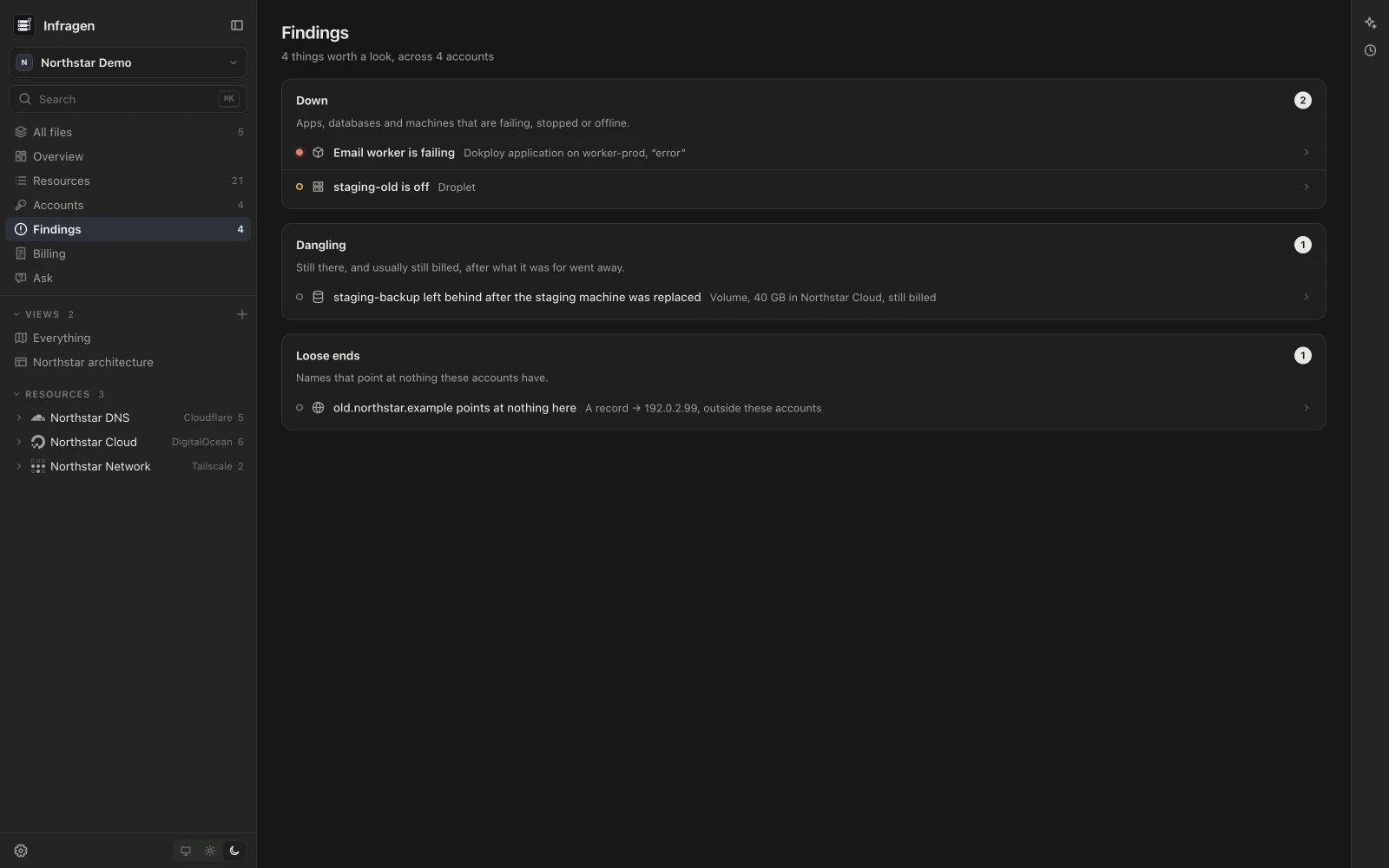
Billing estimates the cost of supported resources from provider list prices, including AWS pricing. It shows the assumptions and what is left out. These are estimates, not your bill: discounts, credits, tax, data transfer and usage-based charges are not included.
Ask the infrastructure
Claude Code or Codex can search the inventory, inspect resources and answer with links back to them. Ask what serves a domain, what belongs to an application, or what is left after a service was retired. The agent can tag resources in the vault, save a view, or write up what it found as a document, note or diagram.
The agents use the command-line tools installed and signed in on your Mac. Provider credentials are kept separately in the vault’s unversioned accounts environment file; the agent is instructed never to read that file or change anything on a provider.
Part of Sageware Studio
Infragen is one of the six apps of Sageware Studio, which share a frame, an agent runtime and their kinds of file. Atlas maps the codebases behind your systems. Docgen lays out the documents you write about them, and Protogen opens their diagrams.
Requirements
- A Mac with Apple Silicon, running macOS 12 or later
- Read-only access to the provider accounts you want to inspect
- Claude Code or Codex, installed and signed in on your Mac, for the agent. Infragen offers to install them if they are missing
- Git, for vault history
Created by
 Jesse PanganibanCEO, Co-Founder