Protogen
Prototypes as code, for lead engineers.
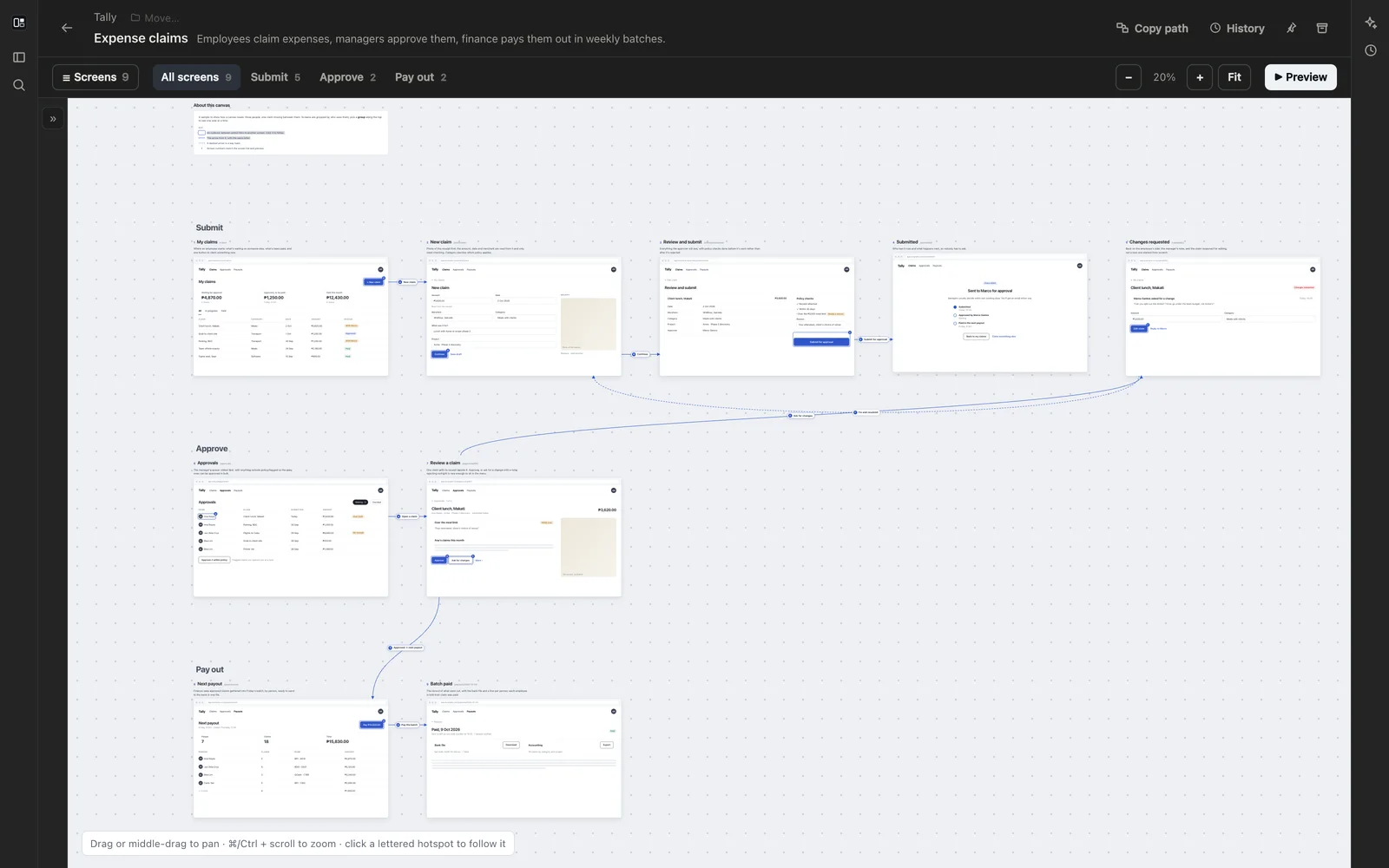
I built Protogen for the part of a project before the code: what the screens are, what the data looks like, what the software must do, and how it fits together. I wanted all of that as files I could keep in git and hand to an agent, rather than drawings in someone else’s tool.
Every prototype is one file in a folder you choose, and the second part of its name says what kind it is. You write and change them by asking Claude Code or Codex in the chat beside them, and they update as the files are saved.
Screens
A mockup (.mockup.tsx) is a canvas of mid-fi screens on a board you can pan and zoom. Lettered hotspots link one screen to the next, and screens are grouped into flows, so you can look at one side of the product at a time. Preview shows one screen at a time, full size, and every screen and flow has its own link.
Data models
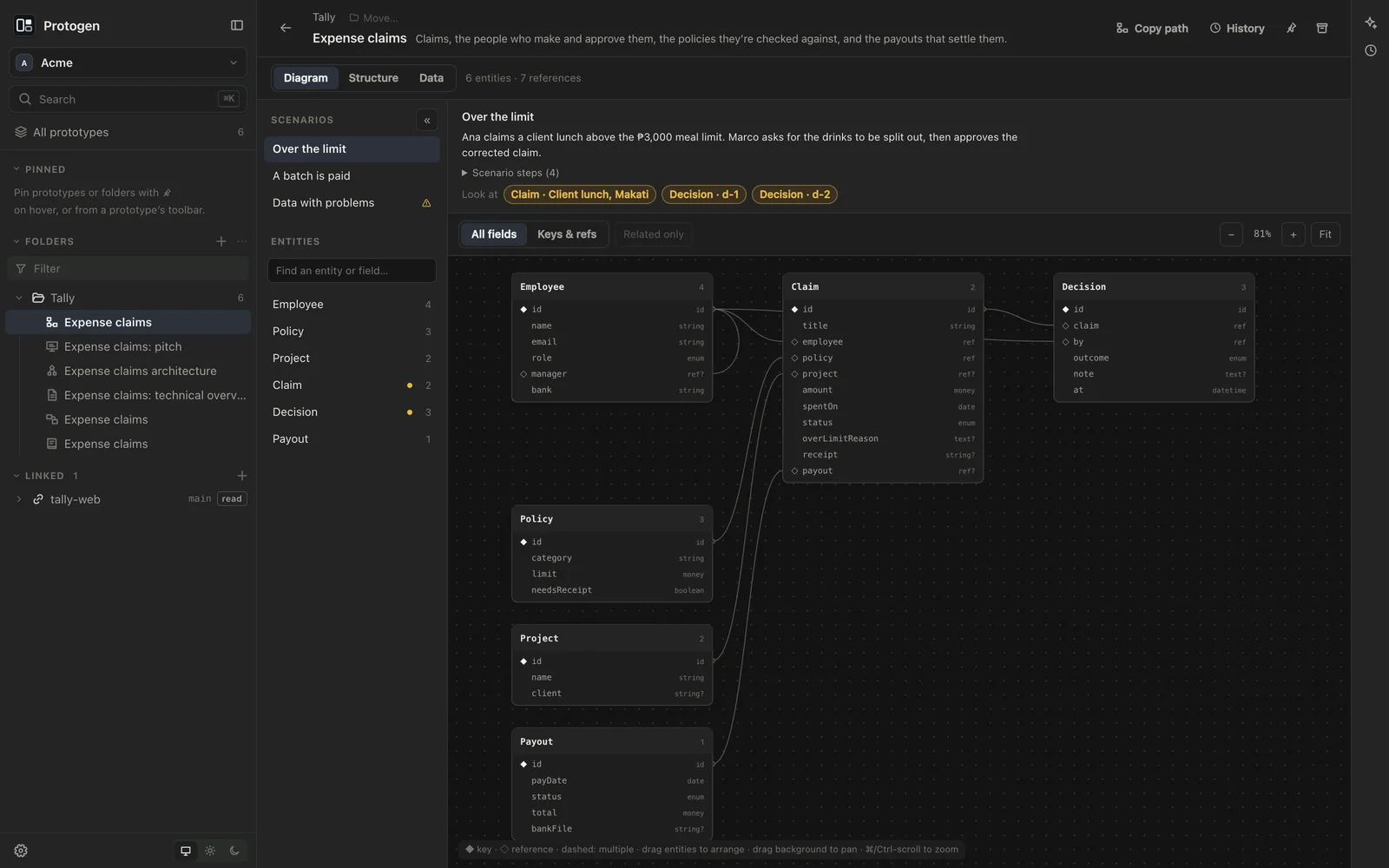
A data model (.datamodel.ts) is the entities and their references, drawn as a diagram, with scenarios of mock records you can browse record by record. Each scenario tells a short story, such as a lunch claimed over the meal limit, and points at the records it touches. Every scenario is checked against the model: unknown fields, missing required values, references to records that aren’t there and duplicate ids are listed.
Specbooks
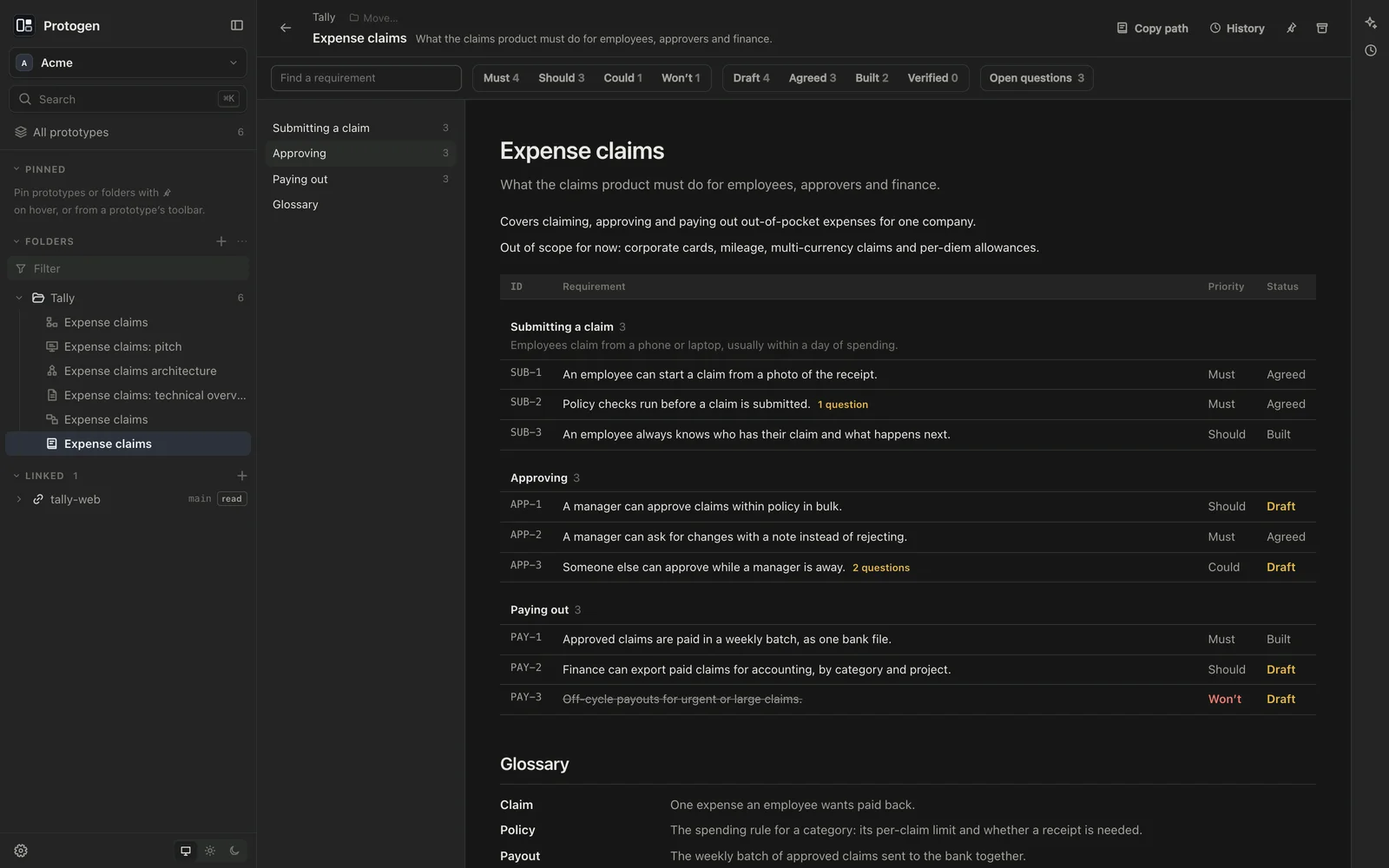
A specbook (.specbook.ts) is what the software must do, as numbered requirements with priorities, statuses, acceptance criteria and open questions. Requirements link to the screens, entities and diagrams they’re about. Filter by priority, status or open questions, and link to any requirement by its id.
Diagrams, documents and decks
- Architecture diagrams (
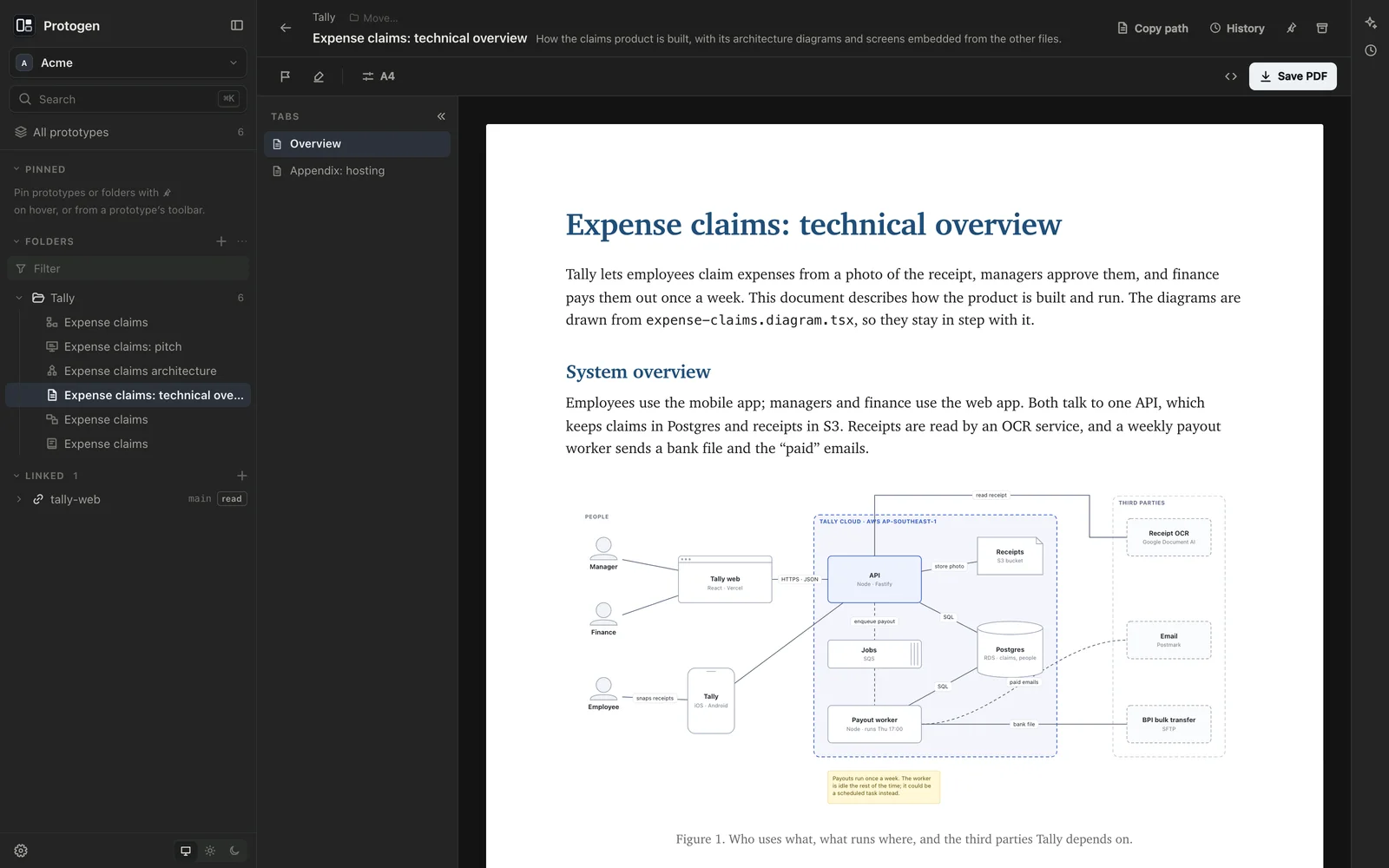
.diagram.tsx): services, stores, people, zones and the links between them. Links attach by id, so a shape can move without breaking what’s connected to it. - Documents (
.doc.tsx) and decks (.deck.tsx): technical write-ups and slides, laid out page by page the way they print, and saved as PDF or HTML. - Documents and decks embed diagrams and screens from the other files, drawn live from them, so a technical overview stays in step with the architecture it describes.
- Pictures, PDFs, Markdown and CSV sit in the same folders and open as they are, so a client’s logo and notes can live beside the prototypes that use them.
How it works
Your prototypes live in a vault: a plain folder on your Mac that you own. The vault is a git repository, and Protogen keeps its history for you. It saves a version after each agent’s turn and after a quiet spell of your own edits. History shows any prototype as it was, compares two versions, and restores one as a new version, so nothing is rewritten. You can name a version, like “Sent to the client”, and undo everything an agent’s turn did from the chat.
The agents are Claude Code and Codex, using the sign-in you already have on your computer. Protogen stores no keys. Each kind of prototype comes with a guide the agent loads before writing one, and the agent can look at what it drew before it hands it back. It asks before touching anything outside the vault.
A vault can link the codebases it’s about. Linked folders show in the sidebar to browse, the agent can read them, and a prototype can point at a line of code. They’re read-only unless you make one writable, and Protogen never commits inside them.
Part of Sageware Studio
Protogen is one of the six apps of Sageware Studio, which share a frame, an agent runtime and their kinds of file, so a file made in one opens in another. Docgen writes print-ready documents and decks on the same engine. Datagen explores databases, Testgen writes and runs test suites, and Atlas maps the codebases a vault links to.
Requirements
- A Mac with Apple Silicon
- Claude Code or Codex, installed and signed in on your Mac, for the agents. If neither is installed, Protogen offers to install them
- Git, for history. Without it, everything else works
Created by
 Jesse PanganibanCEO, Co-Founder