Datagen
Databases, queries, charts and checks, as files.
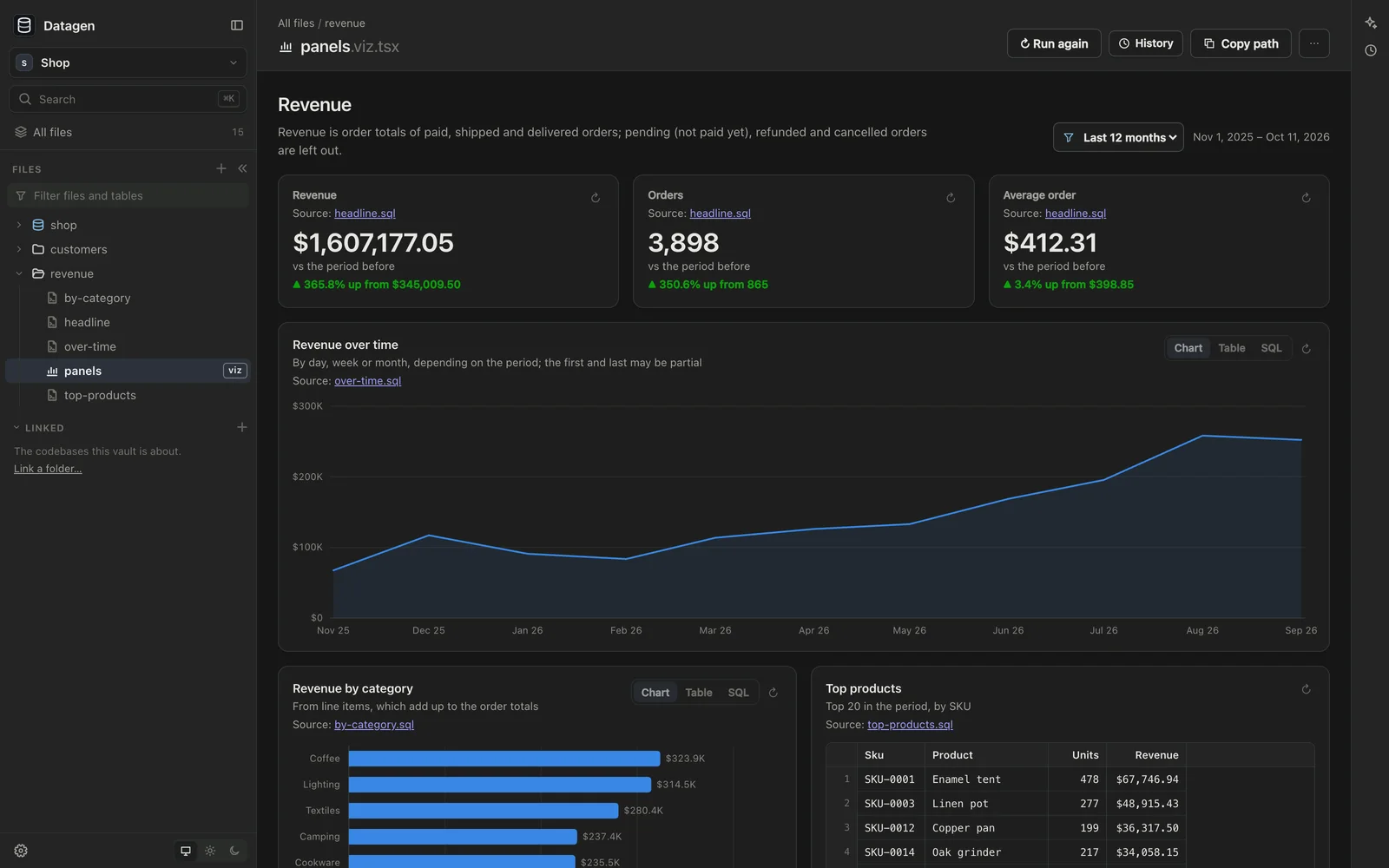
I built Datagen for getting to know a database: what’s in it, what it can answer, and what’s wrong with it. I wanted the questions and the answers kept as files in folders, where an agent can write them and I can read, rerun and keep them, rather than in a notebook or a dashboard tool.
Everything lives in a folder you choose: connections to the databases, .sql queries, .viz.tsx pages of charts, checks, and notes in Markdown. You write them yourself or ask Claude Code or Codex in the chat beside them, and Datagen picks up each change as it’s saved.
The schema
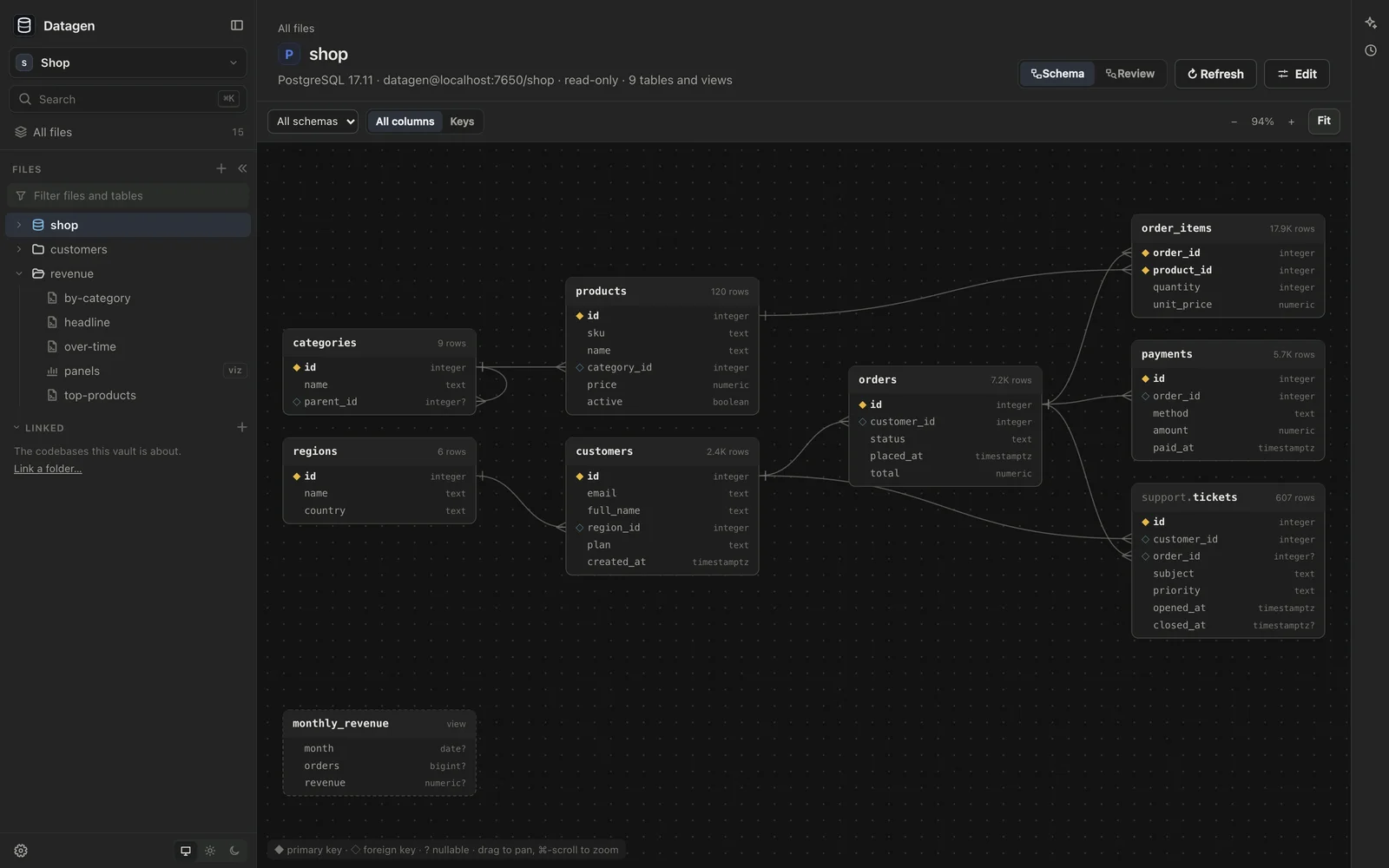
Open a connection to see its tables as a diagram, with every foreign key drawn between them. Choose a table for its columns, keys, indexes and constraints, what it references and what references it, and its first rows.
Queries
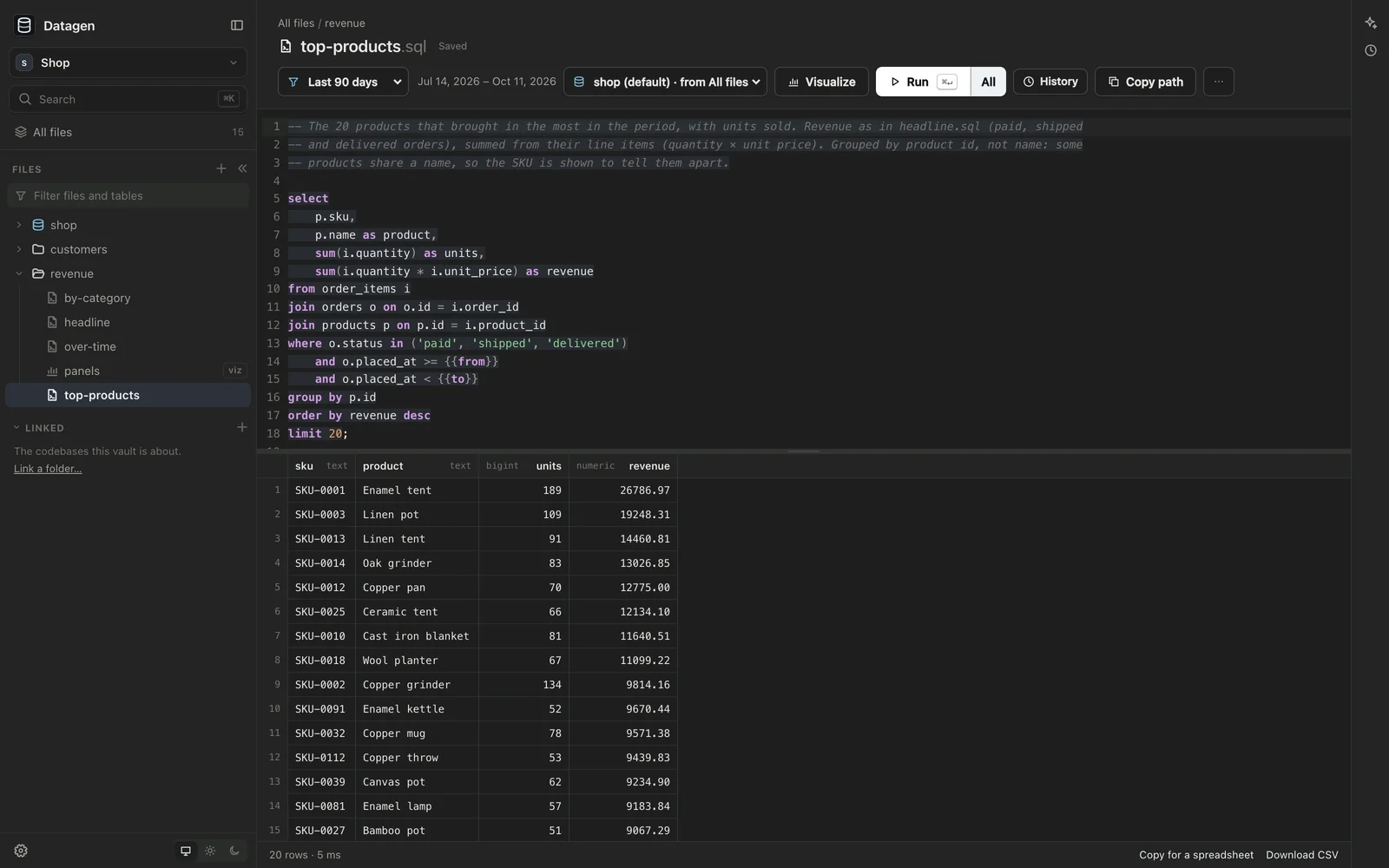
- An editor that knows the connection’s SQL dialect and completes its schemas, tables and columns.
- ⌘↵ runs the statement under the cursor, ⇧⌘↵ runs them all, each with its own result. An error is underlined where the database stopped.
- Sort the results, copy them for a spreadsheet, or download a CSV.
- Visualize turns a query into a chart, the way its result suggests.
Charts, checks and reviews
- Pages of charts (
.viz.tsx): lines, areas, bars, scatter plots, headline numbers and tables, each drawn from a query file and readable as a table or as its SQL. Pick a period and every panel follows. - Checks (
.check.sql): a query for what should never be in the data. It passes when it returns no rows, and a folder runs all of its checks at once. - Schema reviews: problems in a schema’s design, by rule, from missing foreign keys and type drift to personal data left unmasked, with a query for each that shows whether it still holds.
- Schema maps: how one database’s tables become another’s, column by column, for a migration, with the two sides’ data compared.
Connections and secrets
Postgres comes built in. SQL Server, Supabase, ClickHouse, Amazon Athena and Cloud Firestore can be added in Settings. A connection is a small file in the folder, and its password goes in a .env file beside it that git ignores, so the connection can be shared without the secret.
Connections are read-only unless you say otherwise: on Postgres, every query runs in a read-only transaction.
Some of the databases I work with hold personal and health data. On Postgres and Supabase, a connection can mask columns, such as names, emails and phone numbers. A masked column’s values come back as ####, and before anything runs Datagen checks its plan and refuses a query that would compute, filter, join or sort on a masked column. Masking applies to what Datagen shows; anyone with the password can still query the database directly.
How it works
Your queries and pages live in a vault: a plain folder on your Mac that you own. The vault is a git repository, and Datagen keeps its history for you. It saves a version after each agent’s turn and after a quiet spell of your own edits. History shows a file as it was, compares two versions, and restores one as a new version, so nothing is rewritten. You can undo everything an agent’s turn did from the chat.
The agents are Claude Code and Codex, using the sign-in you already have on your computer. Datagen stores no keys. The agent is told to check the data before it trusts it and to define each measure once, and it can run queries and look at the pages it builds. Even on Auto, Claude Code asks before reading a .env file, editing a connection, dropping a database, or changing anything outside the vault.
To work on a copy of a database, attach a dump to the chat and ask the agent to import it. It restores Postgres and MySQL dumps, and SQL Server backups, into a new local database in Docker, and writes the connection for it.
Part of Sageware Studio
Datagen is one of the six apps of Sageware Studio, which share a frame, an agent runtime and their kinds of file. Protogen prototypes the software, Docgen writes the documents, Testgen tests it in a browser, and Atlas maps the code.
Requirements
- A Mac with Apple Silicon
- A database you can reach from your Mac
- Claude Code or Codex, installed and signed in on your Mac, for the agents. If neither is installed, Datagen offers to install them
- Git, for history. Docker, to import a database dump
Created by
 Jesse PanganibanCEO, Co-Founder