Testgen
BDD test suites, written with agents and run in a real browser.
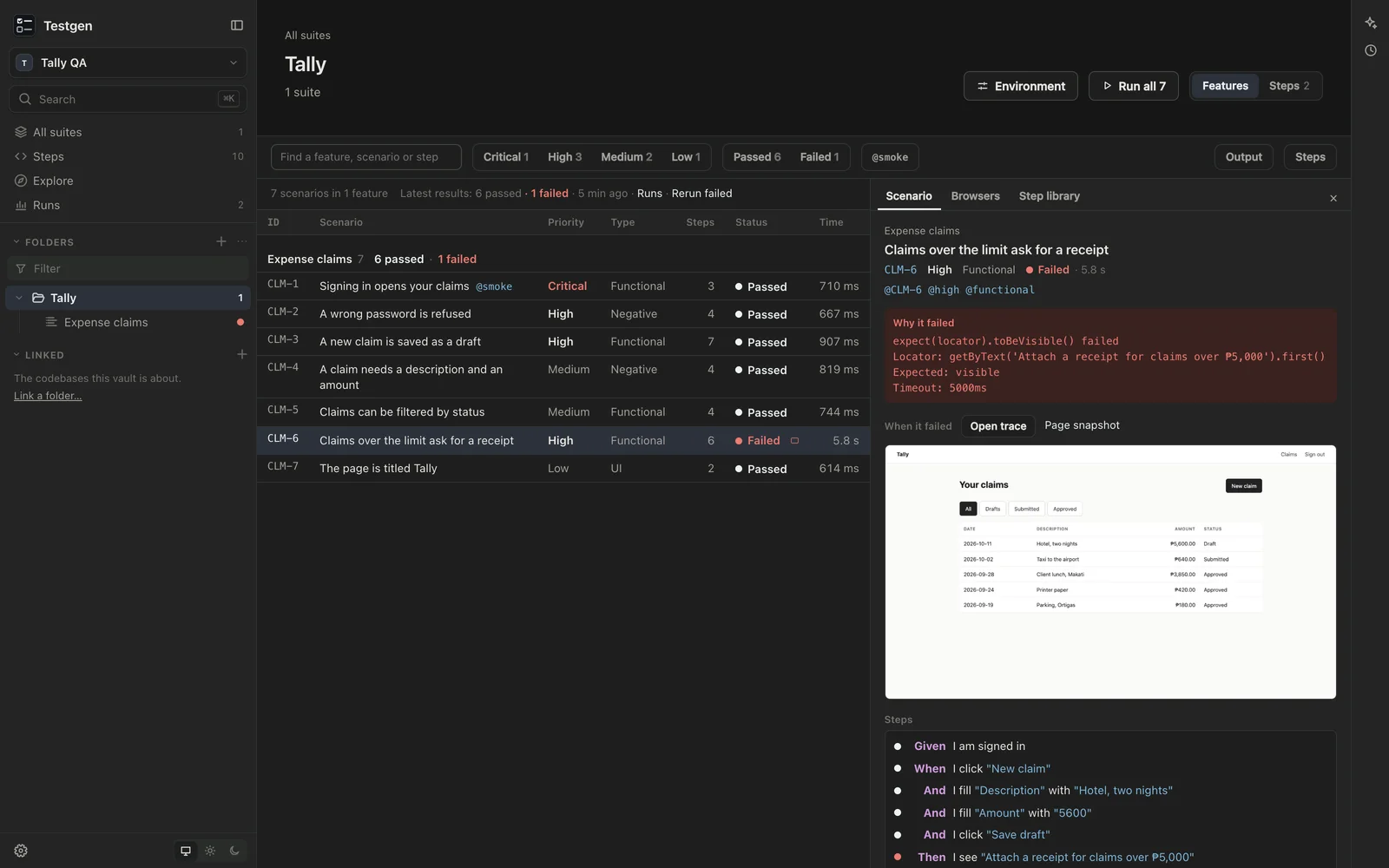
I built Testgen so the test cases a client reads and the tests that run are the same file. Each suite is a Gherkin feature: scenarios in plain sentences that a person can review, and that run in a real browser.
Every suite is a .feature file in a folder you choose, and its scenarios are the test cases, with an id, a priority and a type as tags. Testgen shows them as a table you can filter, run and inspect. The suites and their steps are written by Claude Code or Codex in the chat beside the table, with you reviewing and running them.
Run and inspect
- Run runs what the table shows: everything, or just the scenarios tagged
@smoke. ▶ on a row runs one scenario, and Rerun failed reruns only what failed. - Rows fill in as scenarios finish. Output shows what Playwright prints, and Browsers shows each test browser live. Watch runs one scenario at a time so you can follow it step by step.
- Select a scenario to see why it failed, a screenshot of how it ended, each step with its result, and a trace of every action with the page before and after.
- Runs keeps the last 30 runs on your Mac, and any you choose to keep, to open again later.
- Export CSV gives one row per step, for a spreadsheet or a test management tool.
Tests run in Google Chrome with Playwright, so there’s no browser to download.
Steps
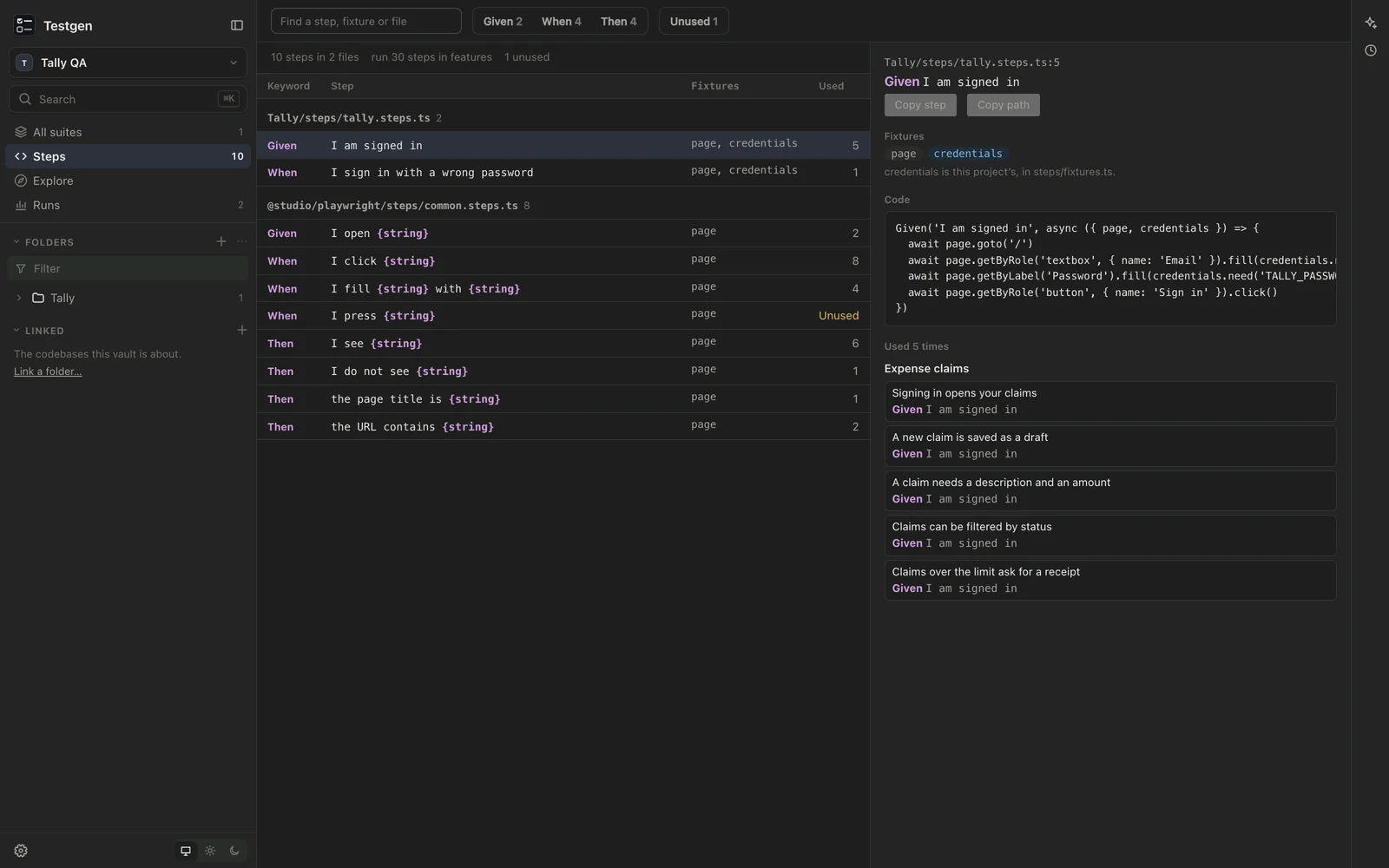
Each sentence in a scenario is a step, and each step is a small piece of code. Steps lists every step definition: its code, what it uses, and which scenarios use it. A step written in a feature that nothing defines yet shows up with a definition to start from. Common steps, such as opening a page, clicking a button and seeing some text, come built in.
Explore before you test
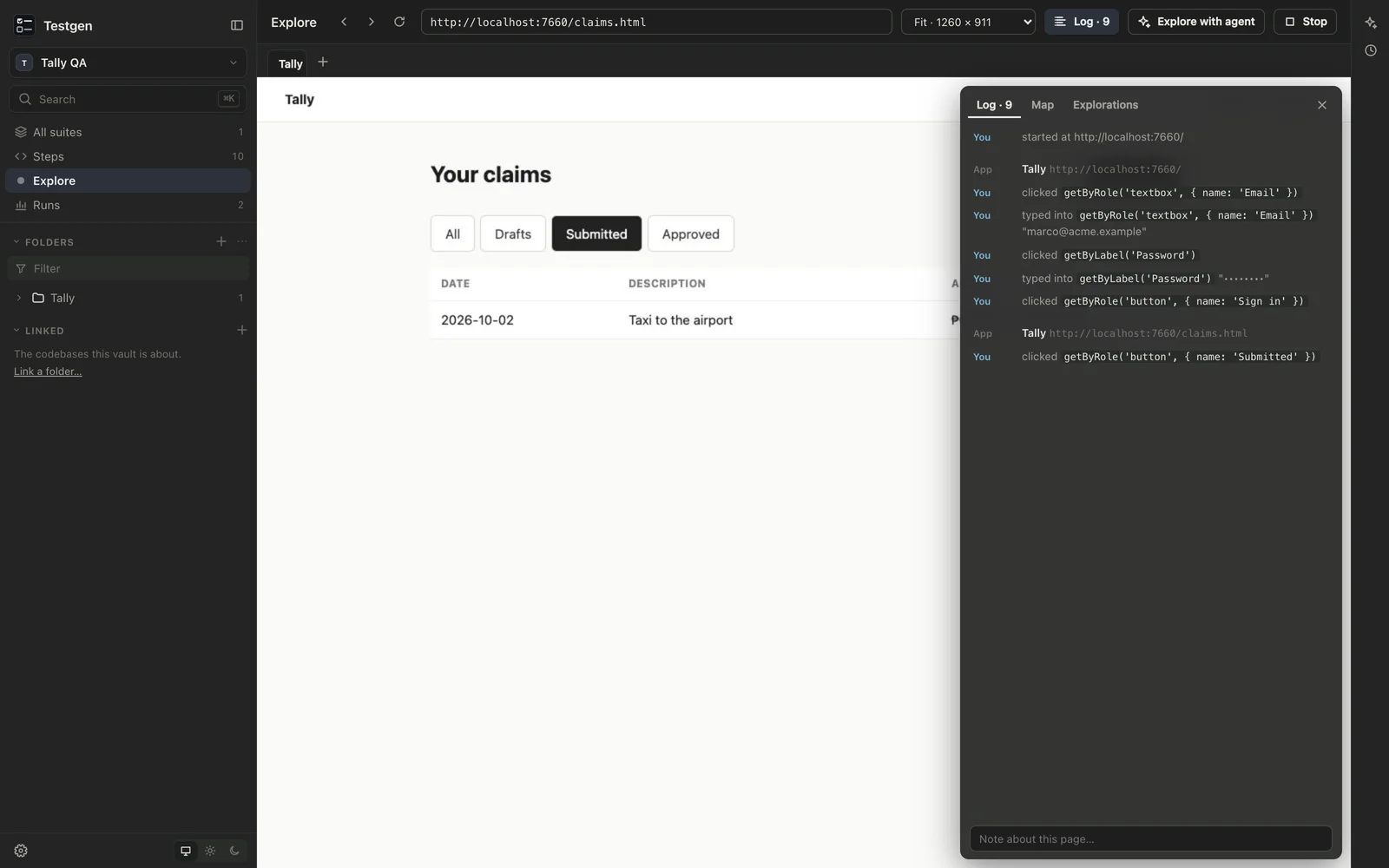
Explore opens the app under test in a browser inside Testgen, to learn it before writing tests for it. Click, type and scroll as you would, or ask the agent to drive the same browser and take over when you like. Every action, yours and the agent’s, is logged the way a test would write it, and the pages you reach become a map with your notes on each. What you type into a password field isn’t logged.
Writing tests with an agent
Ask for what you want covered, for example “the claims list: what it shows, its filters and its tabs”. The agent can open a page and see what Playwright’s locators see, so steps use the page’s real names instead of guesses. It checks a feature for missing steps and duplicate ids without running it, then runs it and reads each failure. It leaves out scenarios tagged @mutating, which write to the app’s data, unless you’ve said that’s fine.
Each folder’s accounts and keys go in its own .env file, set under Environment, and git ignores them. Features name an account; they never contain a password, and the agent never types one.
How it works
Your suites live in a vault: a plain folder on your Mac that you own. The vault is a git repository, and Testgen keeps its history for you. It saves a version after each agent’s turn and after a quiet spell of your own edits. History shows a suite as it was, compares two versions, and restores one as a new version, so nothing is rewritten. You can undo everything an agent’s turn did from the chat. Runs, screenshots, traces and saved sign-ins stay on your Mac, out of git.
The agents are Claude Code and Codex, using the sign-in you already have on your computer. Testgen stores no keys.
A vault can link the codebase it tests. The agent can read it, and features can point at the code they cover.
Part of Sageware Studio
Testgen is one of the six apps of Sageware Studio, which share a frame, an agent runtime and their kinds of file. A client’s specbook and mockups from Protogen can sit in the same folder as the tests that cover them. Docgen, Datagen and Atlas cover documents, databases and codebases.
Requirements
- A Mac with Apple Silicon
- Google Chrome
- Claude Code or Codex, installed and signed in on your Mac, to write tests. If neither is installed, Testgen offers to install them. Running and reviewing tests doesn’t need either
- Git, for history
Created by
 Jesse PanganibanCEO, Co-Founder