Atlas
How your codebases fit together, what's risky, and who knows them, read live.
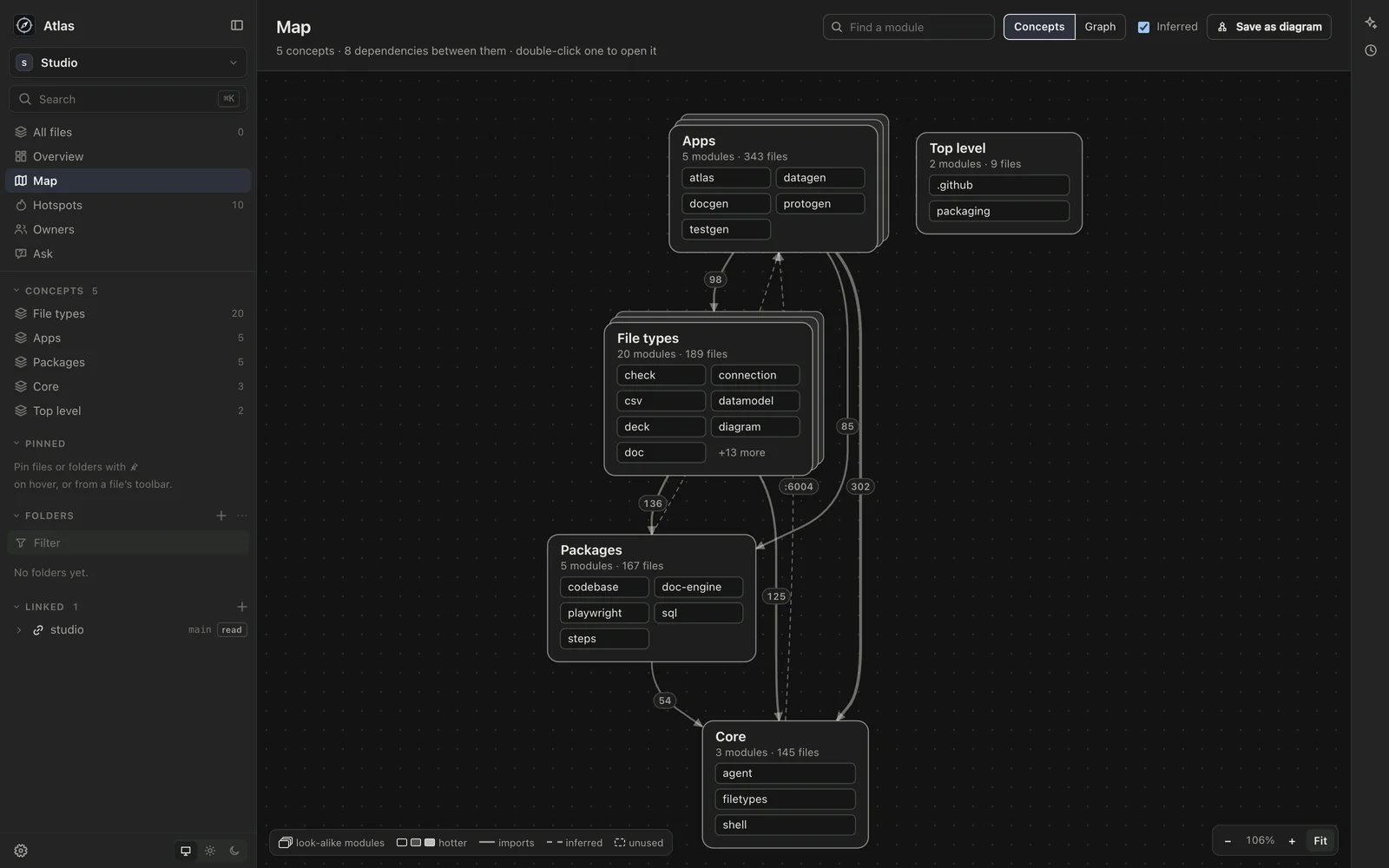
I built Atlas for the first days in a codebase I haven’t worked in, and for the ones I have but no longer hold in my head: what’s there, how it fits together, what’s risky to change, and who to ask. It reads the code where it already is, on my Mac, and keeps up as it changes.
You link Atlas to one or more codebases. It reads them read-only and never commits in them. What you conclude, such as notes, write-ups and saved maps, goes in a vault of its own.
The map
Every module across the linked codebases, the packages of a monorepo or the source folders of one app, grouped into concepts: named parts to look at one at a time, such as Apps, Packages or one domain of a product. Atlas suggests them from the structure of the code, and you can rename, merge, hide or make your own. The top level shows each concept with what’s in it and the dependencies between them, one arrow per pair with how many imports it carries. Open a concept to see its modules, with look-alike modules stacked as a family you can fan out. Graph shows every module at once.
A box is shaded by how hot it is and bordered heavier the bigger it is. Modules nothing uses are dashed, cycles are ringed, and dependencies Atlas infers rather than reads, such as a local port one module serves and another calls, are drawn dashed.
Open a module to see its hottest files, what it depends on and what uses it, each with an import to look at, and who knows it. Save as diagram keeps the view in the vault. When the code moves on, the saved diagram says so, and Redraw from the map brings it up to date.
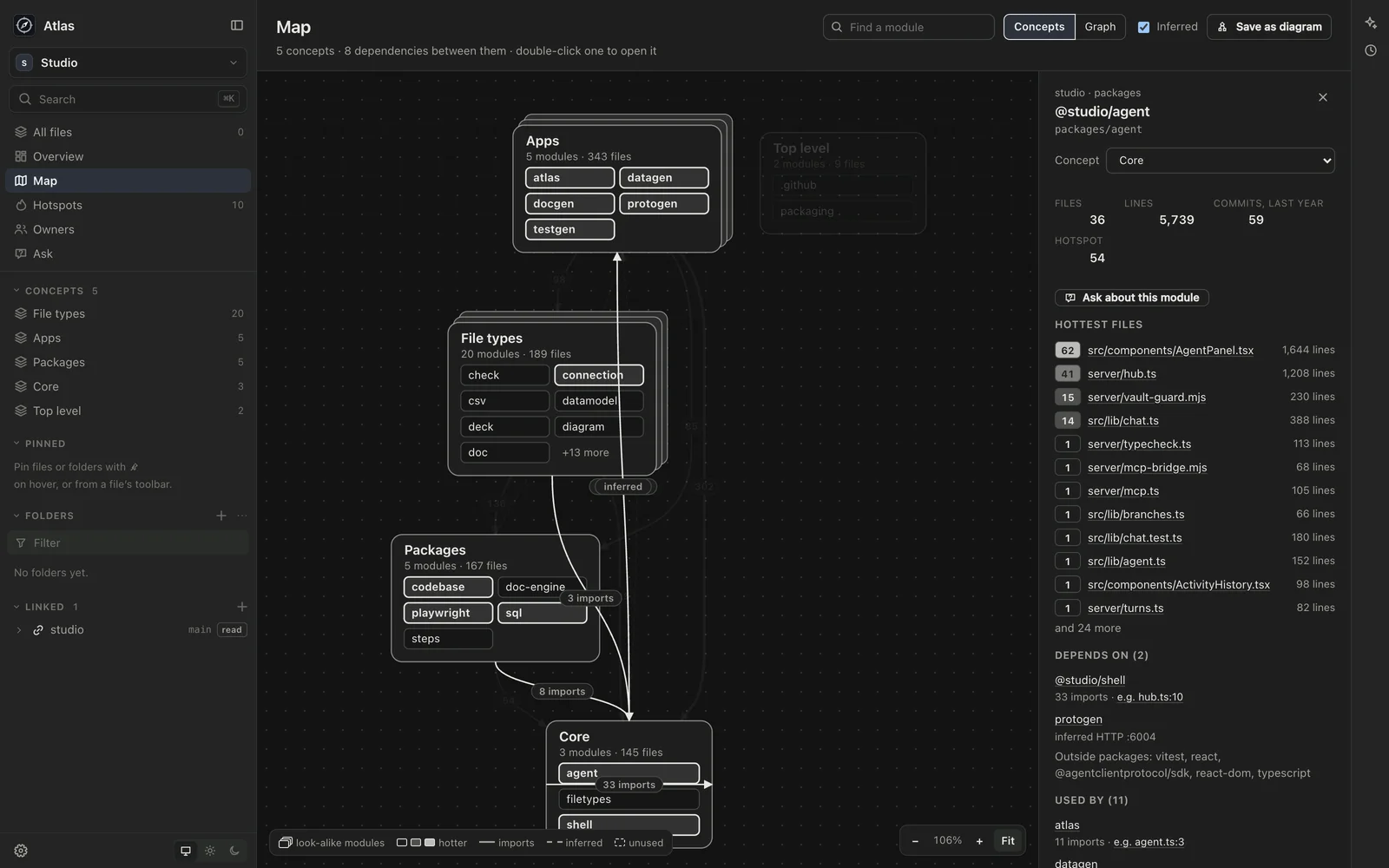
Imports are read for TypeScript and JavaScript, PHP, Python and Go.
Hotspots
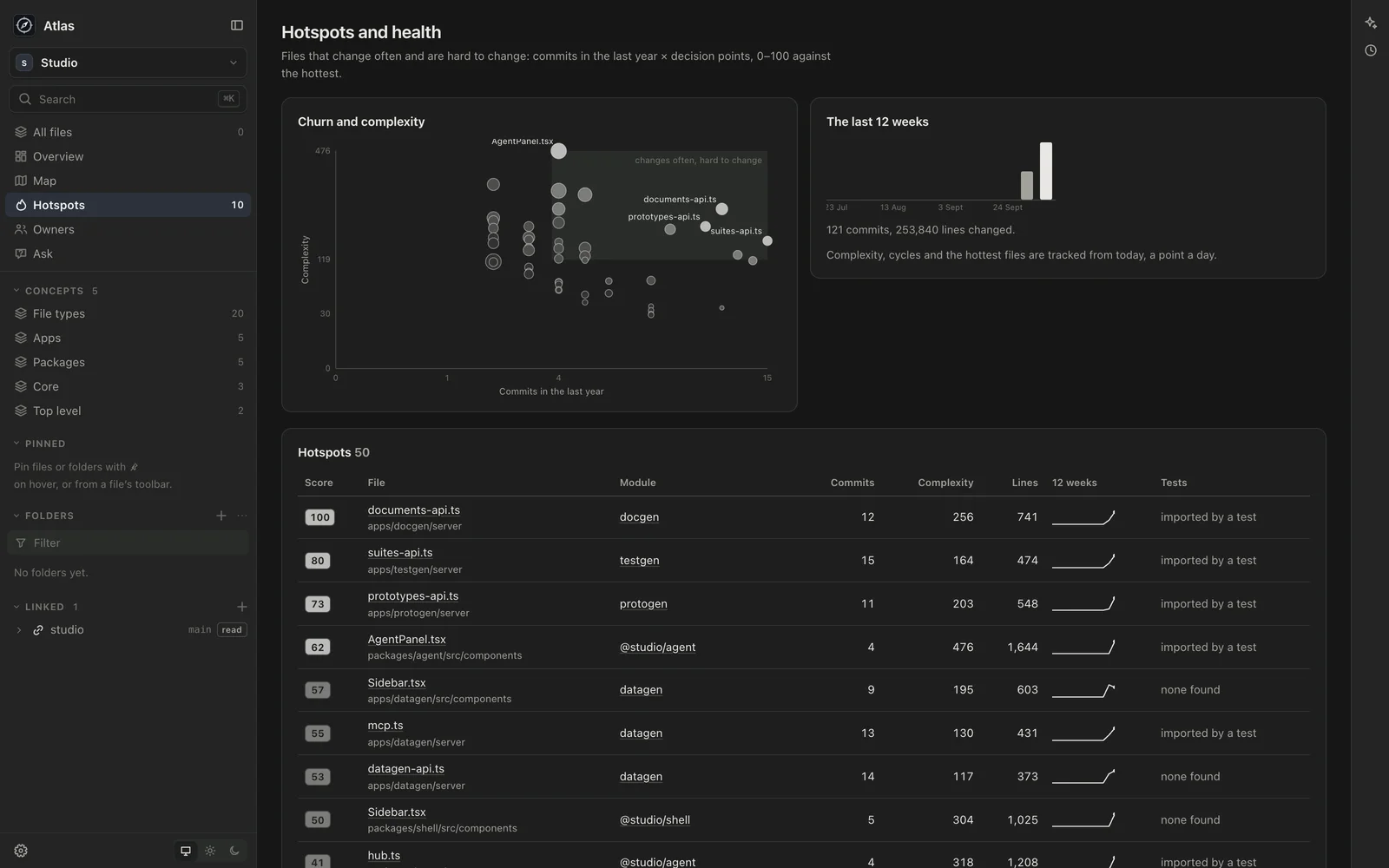
Files that change often and are hard to change: commits in the last year against a measure of complexity, scored 0 to 100 against the hottest. Beside them, twelve weeks of commits, cycles between modules, modules nothing uses, large files, gaps in test coverage, and TODO notes. A point is kept each day, so you can see whether things are getting better.
Owners
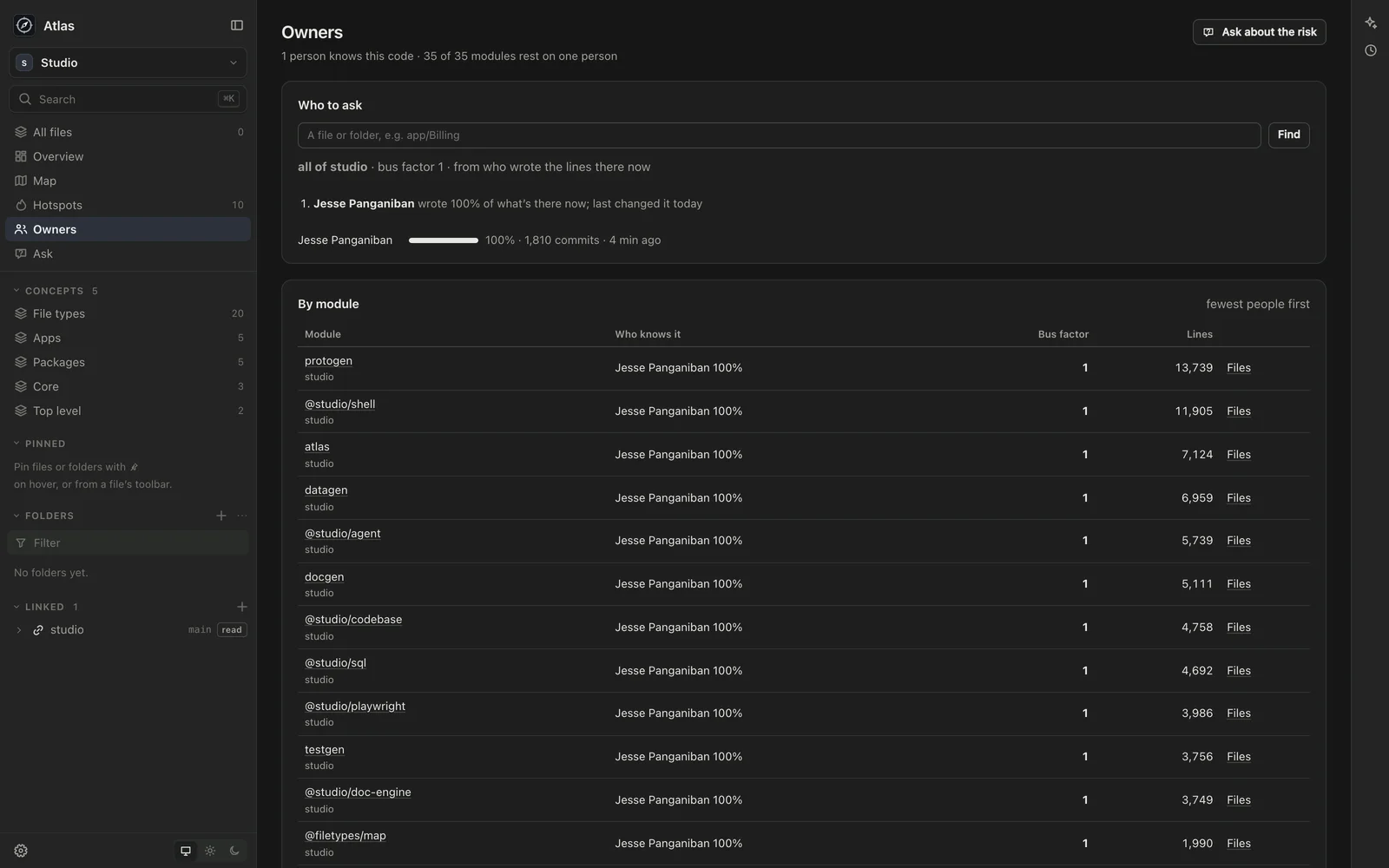
Who to ask about any file or folder, and why: who wrote what’s there now, from git blame, or, where blame hasn’t been read yet, who has changed it, weighted to recent changes. Each module has its owners and its bus factor, fewest people first. Bots and coding agents are never counted as people to ask.
Ask the codebase
The chat has Atlas’s own tools for the map, hotspots, owners, searching and reading, over every linked codebase. Answers cite the files and lines they come from, and a citation opens the code at those lines. When a chat has found something worth keeping, the agent can write it up into the vault as a document or a note, every claim still pointing at its code. Atlas suggests questions to start from; a suggestion goes into the box for you to finish, and nothing is sent until you send it.
Live
Atlas watches the linked folders and reads again only what changed, and git history from the last commit it saw. A change you or an agent makes shows on the map within seconds. Its analysis is kept in a cache on your Mac, outside the vault and the code, so reopening is quick.
How it works
The vault is a plain folder on your Mac that you own, kept as a git repository. Atlas saves a version after each agent’s turn and after a quiet spell of edits, and History shows, compares and restores them. The linked codebases are yours: Atlas never commits in them. A link is read-only unless you make it writable, and if an agent’s turn changes a writable one, Atlas keeps what it changed so you can see it and undo it.
The agents are Claude Code and Codex, using the sign-in you already have on your computer. Atlas stores no keys.
Part of Sageware Studio
Atlas is one of the six apps of Sageware Studio, which share a frame, an agent runtime and their kinds of file. Every Studio app can link codebases; Atlas is the one that analyses them. A map saved from Atlas is a diagram Protogen can open, and a write-up is a document Docgen can lay out. Datagen and Testgen cover databases and test suites.
Requirements
- A Mac with Apple Silicon
- Git, and clones of the codebases you want to read
- Claude Code or Codex, installed and signed in on your Mac, to ask questions. If neither is installed, Atlas offers to install them
Created by
 Jesse PanganibanCEO, Co-Founder