Bassfreak
A practice companion for bass players.
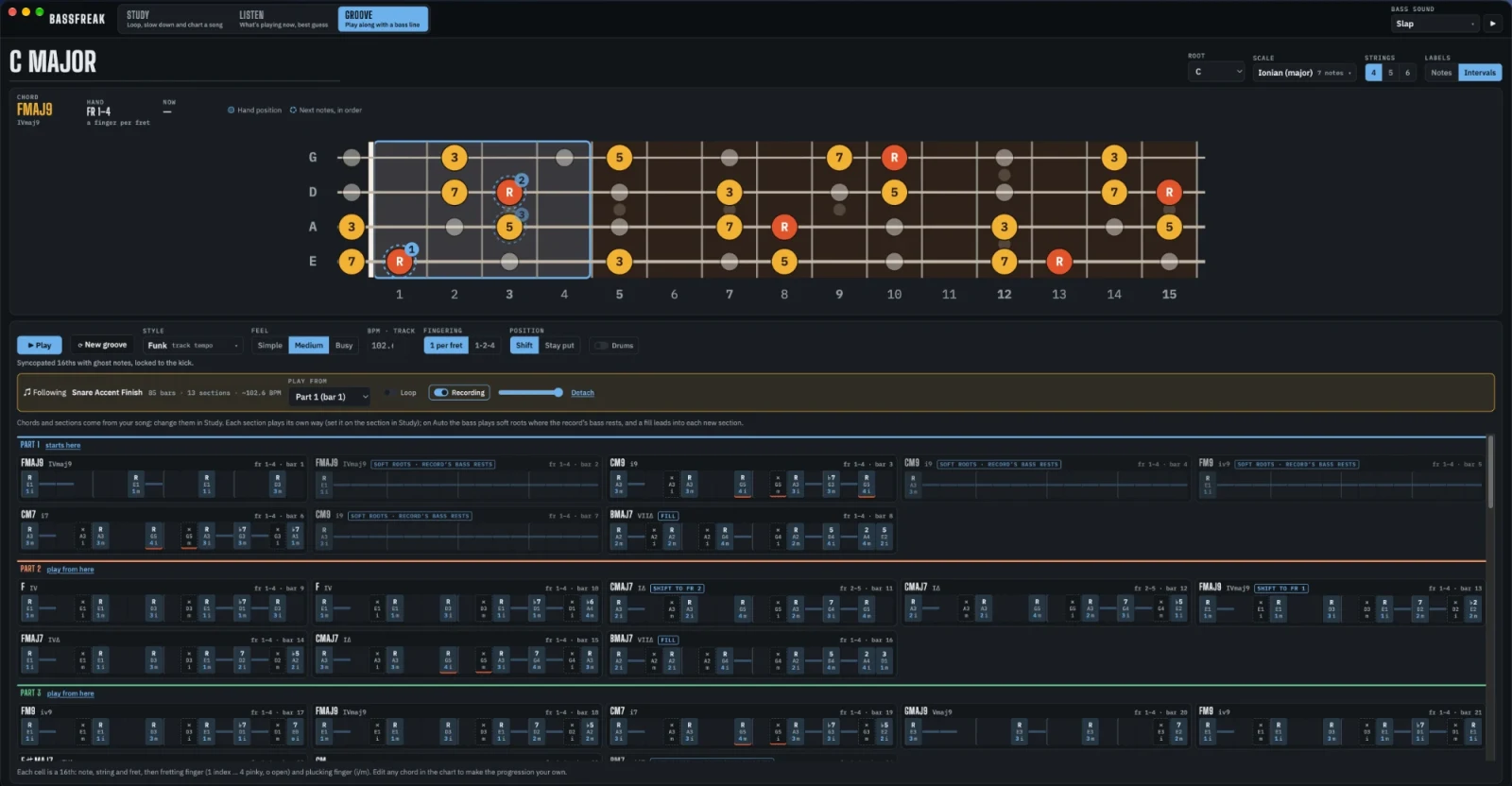
Bassfreak is my side project. I built it to work out the songs I’m learning on bass, and to build the vocabulary to play over them. It has three pages, Study, Groove and Listen, around one fretboard.
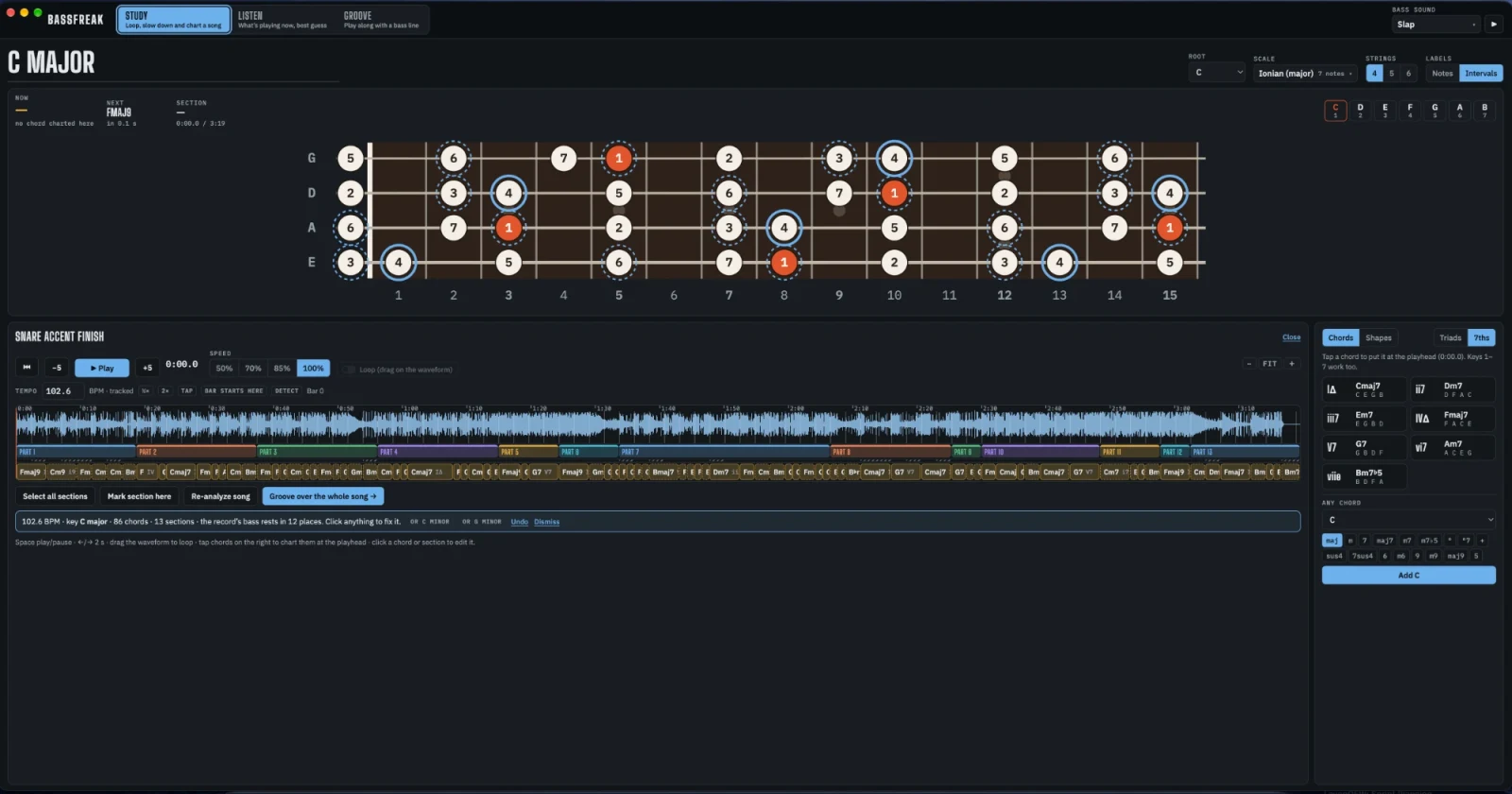
Study a song
- Open an audio file, drag one in, or record whatever your computer is playing.
- Slow it to 50, 70 or 85%, and loop any stretch by dragging across the waveform.
- Analyze song makes one pass and suggests the beat grid, the three most likely keys, the chords bar by bar, the sections, and the places where the record’s bass drops out.
- Every suggestion is yours to fix. Move, rename, split or merge sections, nudge chords, and undo the whole analysis in one step.
- Chart by hand with keys 1 to 7 for the chords of the key, or pick any of 17 chord types.
- Songs are kept on your computer, audio included, under Recent songs.
Play along with a groove
Groove writes a bass line over a chord progression and loops it with drums.
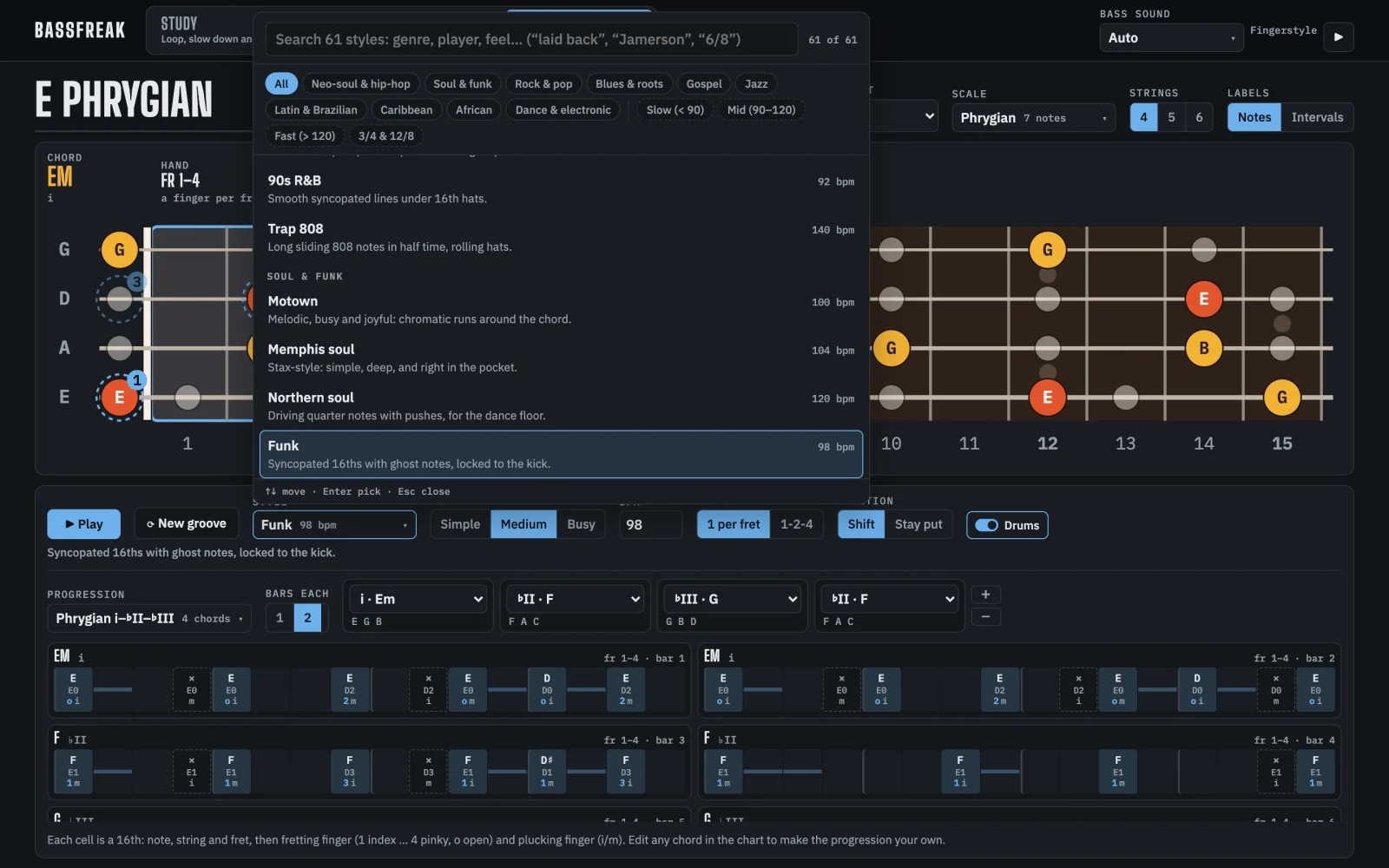
- 61 styles in ten families: neo-soul and hip-hop, soul and funk, rock and pop, blues and roots, gospel, jazz, Latin and Brazilian, Caribbean, African, and dance. Search by genre, player or feel, like “Jamerson”, “laid back” or “6/8”. Each style has its own swing and its own sense of how far behind the beat to sit.
- 105 progressions, from blues and rhythm changes to Coltrane changes, gospel turnarounds and modal vamps, ranked by how well they fit your key. Or write your own, up to 12 chords.
- Simple, Medium or Busy lines, with approach notes, anticipations, chromatic lead-ins and ghost notes.
- Every note is fingered. You see the string, the fret, the fretting finger and the plucking finger. Hand positions are planned across the whole loop, one finger per fret or 1-2-4, shifting or staying put.
Groove over a song you charted
Send a chart from Study and Groove follows the record’s own tempo bar by bar, with the original track playing underneath. Give each section its own feel, or leave it on Auto: soft roots where the record’s bass rests, and a fill into every new section.
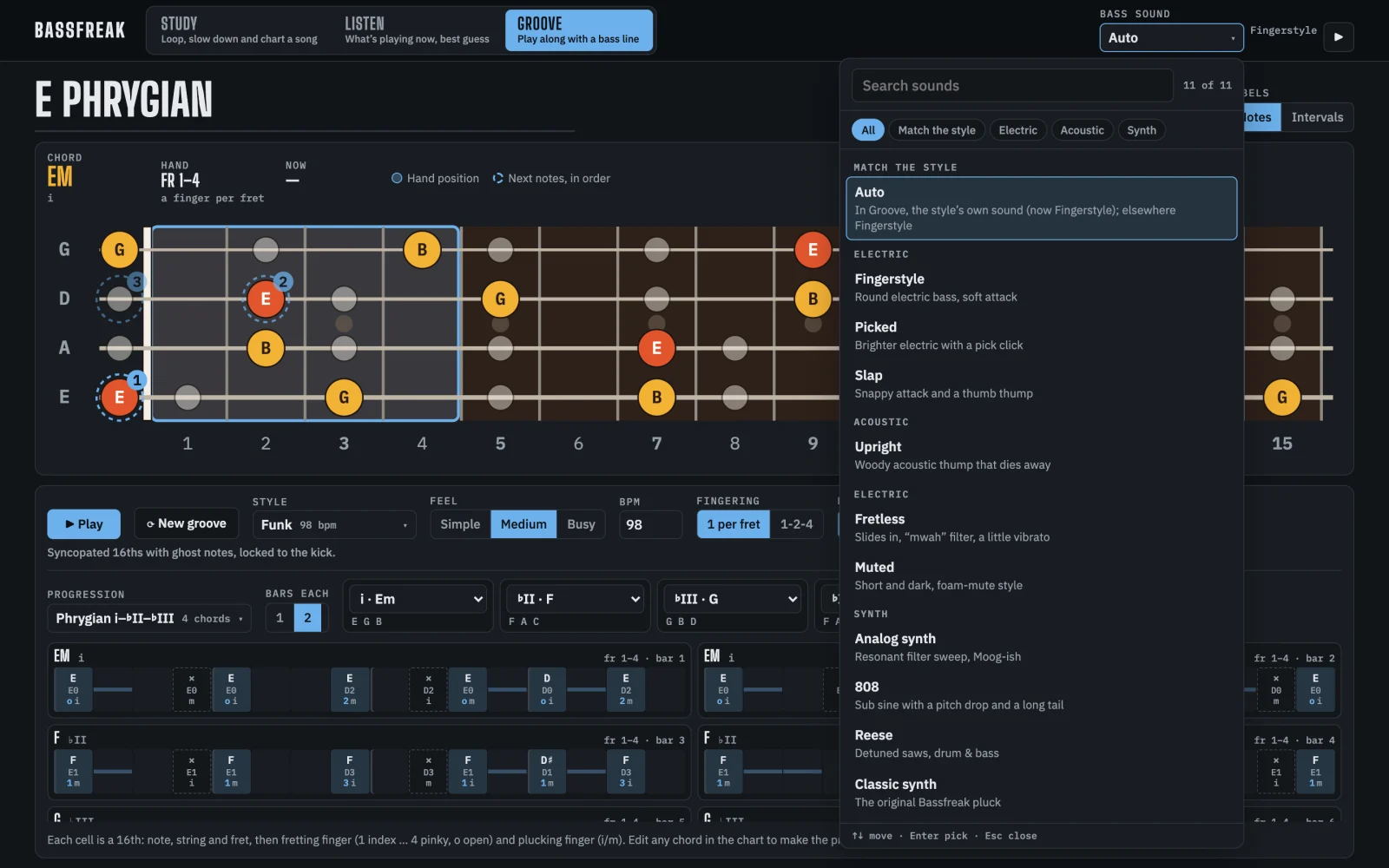
Ten bass sounds
Fingerstyle, picked, slap, fretless, muted, upright, analog synth, 808, Reese and a classic synth. All of them are synthesised as you play rather than sampled. On Auto, each style picks the sound that suits it: slap for slap funk, Reese for drum and bass. The drum kit is synthesised too.
Listen
Point it at the microphone, your computer’s own sound or a file. It shows the chord and its numeral, the bass note, the key, and a guess at the next chord with notes to lead into it. Turn on Follow and the neck lights up the current and next chord. It’s a quick read, not a transcription.
The fretboard
48 scales and modes, from the major modes and bebop scales to Hirajōshi and the double harmonic, in any key. Type “F# dorian” and it’s there. Four, five or six strings, notes or intervals, five-fret positions or three notes per string, and the chords of the key as triads or sevenths. Tap any note to hear it.
Your songs stay on your computer
The analysis is signal processing that runs on your computer. Your songs and recordings are never uploaded. On a Mac, Bassfreak asks for the microphone, and for screen and system audio recording if you want to record what your Mac is playing. It only keeps the sound.
Requirements
- A Mac with Apple Silicon, or a 64-bit Windows PC
The Windows installer isn’t code-signed yet, so the first time you run it Windows warns that it’s from an unknown publisher. Choose More info, then Run anyway.
Created by
 Jesse PanganibanCEO, Co-Founder